Countries I've Visited Map, From Your Photos
Last updated: October 20, 2026
A map of the countries you have visited does not have to be filled in from memory. Viallo, a private photo sharing platform, reads the GPS coordinates your phone already stored in each photo and colors every country they fall in on a globe called the Atlas, counted against 197 countries, with the cities and a year-by-year view. Been and Visited ask you to tap or select each country by hand instead.
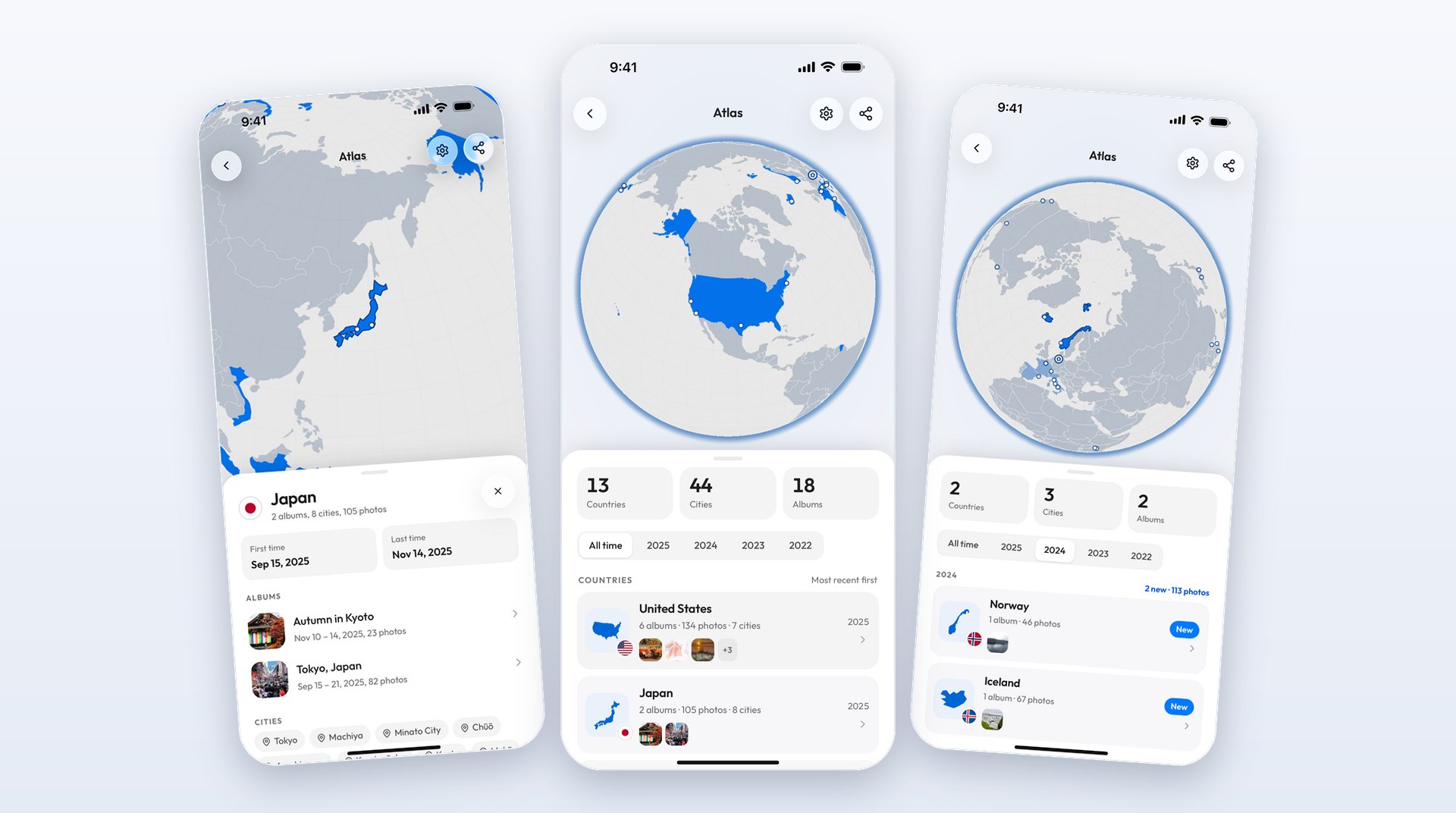
Your photos already remember where you were
The countries-visited maps that come up first in a search are forms. You open a page of the world, tap the countries you are sure of, and the map colors them in. That works for the twelve places you would list at a dinner party and misses the rest: the afternoon you crossed into Slovenia from Trieste, the layover that turned into two nights in Doha, the year everything blurs together.
Your phone has been keeping a better record than you have. Every photo it takes with location turned on carries the coordinates of where it was taken, written into the file as EXIF data, and those coordinates survive an upload as long as nothing strips them on the way. A map built from them lists the places you were, with the dates attached, the forgotten ones included.
Viallo is a private photo sharing platform: you share albums as links that people open without an account, the photos stay at full resolution, and each album is grouped by where its pictures were taken, with a map of that trip. The Atlas is the same location data read across every album at once. Nothing in it looks at what is in your pictures: Viallo runs no image recognition on them and trains nothing on them, and the country comes from the coordinates alone.
How many countries have I visited?
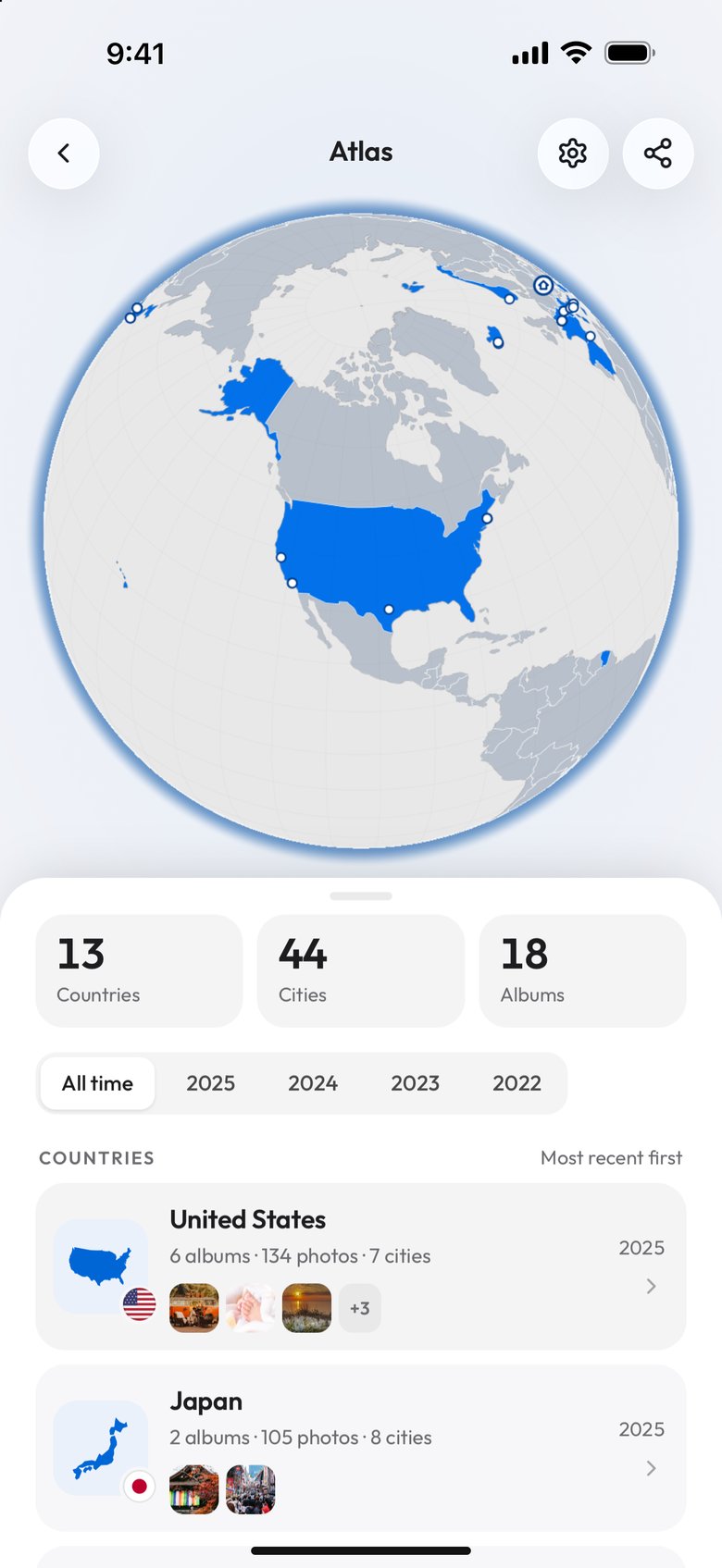
The number the Atlas shows is the count of countries your photos were taken in, out of a list of 197: the 193 members of the United Nations, its two observer states, the Vatican and Palestine, plus Kosovo and Taiwan. That list is a convention rather than a standard. The UN itself counts 193 members, and travel sites argue between 193, 195 and 197, so the same trips can come to a different number in another tracker.
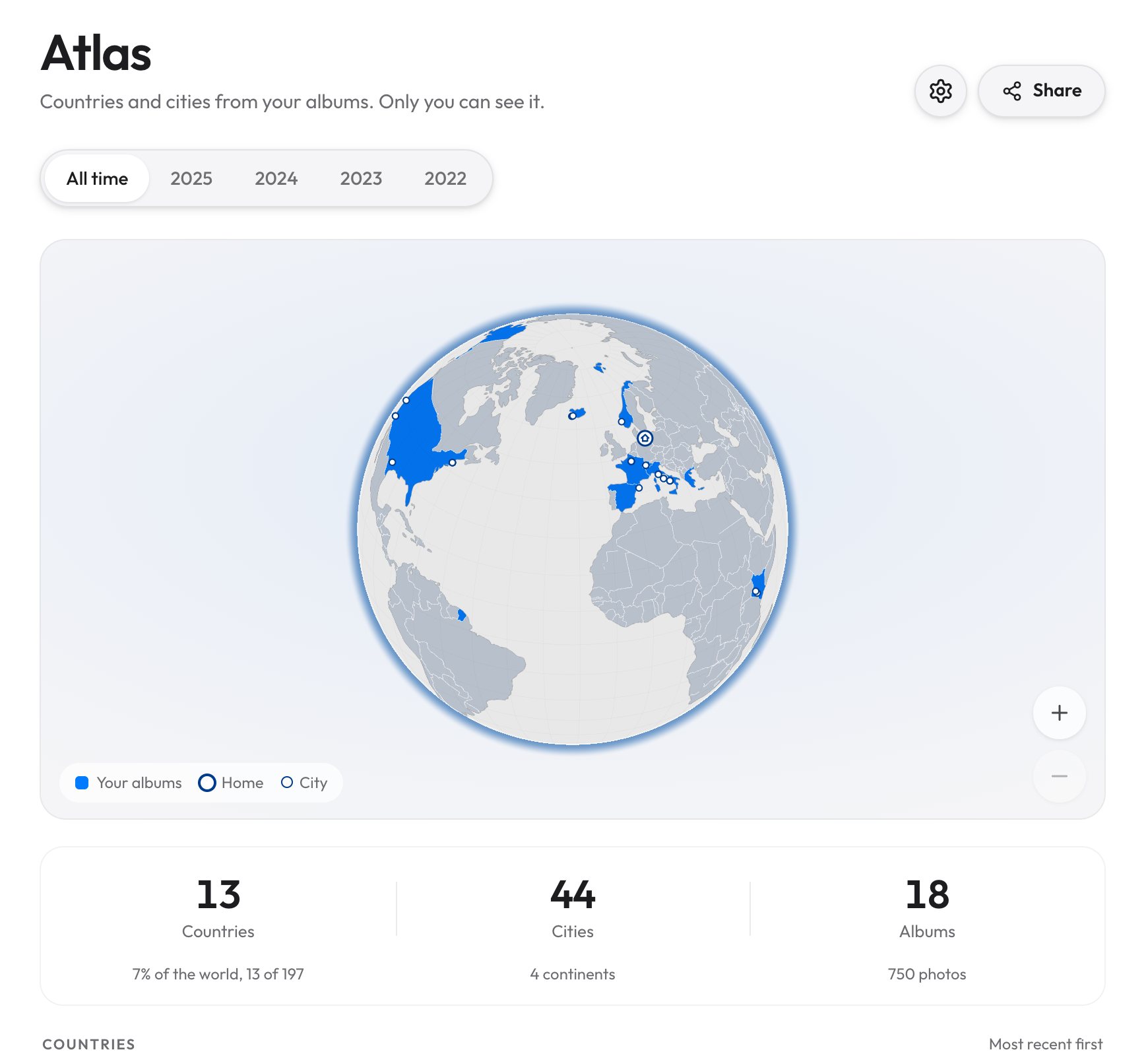
On the phone the count sits in the first of three tiles, next to cities and albums. On a computer the same row also gives the share of the world, the number of continents and the number of photos behind it.
A map you color in yourself counts whatever you decide counts. The Atlas has to decide for you, and these are its rules, read from how the product works rather than from its marketing:
- A photo counts only if it has coordinates. A photo without them adds nothing, whatever is in it.
- The country is worked out on Viallo's own servers, with an open-source boundary lookup that runs without calling any outside service, so no map provider is asked where each of your photos was taken. A photo taken far out at sea falls in no country and is not counted.
- Territories are listed, not counted. Greenland, Hong Kong, Puerto Rico, the Faroe Islands and 38 others get their own row in the list and stay out of the 197; open one and it says so. Places that are formally part of a country fold into it: the Canary Islands count as Spain, Réunion and Martinique as France.
- Five disputed areas are not counted at all: Crimea, the Golan Heights, East Jerusalem, Western Sahara and Northern Cyprus. Instead of hiding those photos, the Atlas prints a line such as Crimea: 3 photos not counted.
- A city is the nearest town of more than 15,000 people, within 30 km of the photo, taken from the GeoNames list of about 25,000 such places. A hike two valleys away from anywhere still counts for the country and adds no city.
- Albums someone else owns count only when you can add to them. A shared album you were invited to contribute to is a trip you were on; one you were only sent to look at is someone else's holiday, and it stays out.
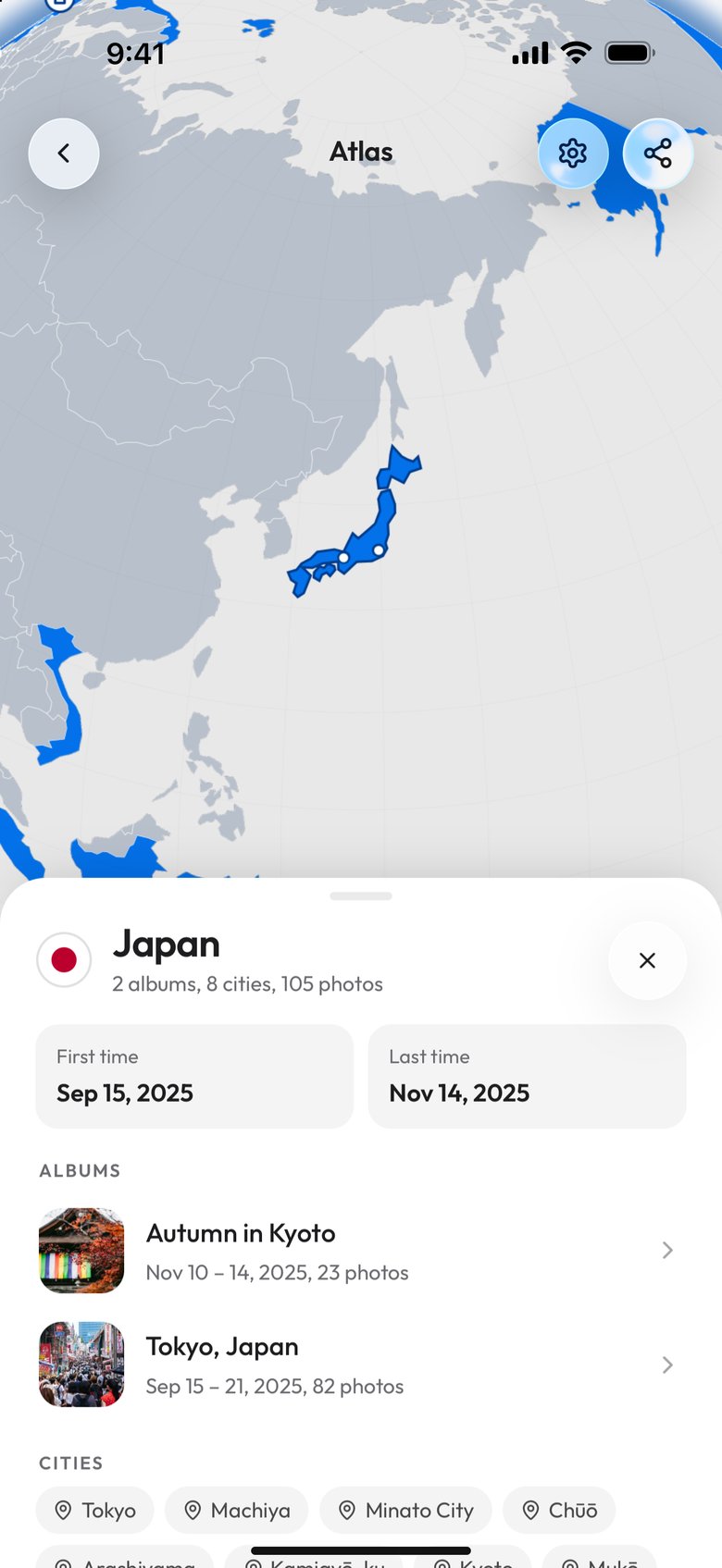
Countries are listed with the most recent first, each with how many albums, photos and cities it holds and the years you were there. Tap one and you get the first and last time you photographed it, the albums it comes from and the cities, with a way to leave an album out from the same screen.
One year at a time
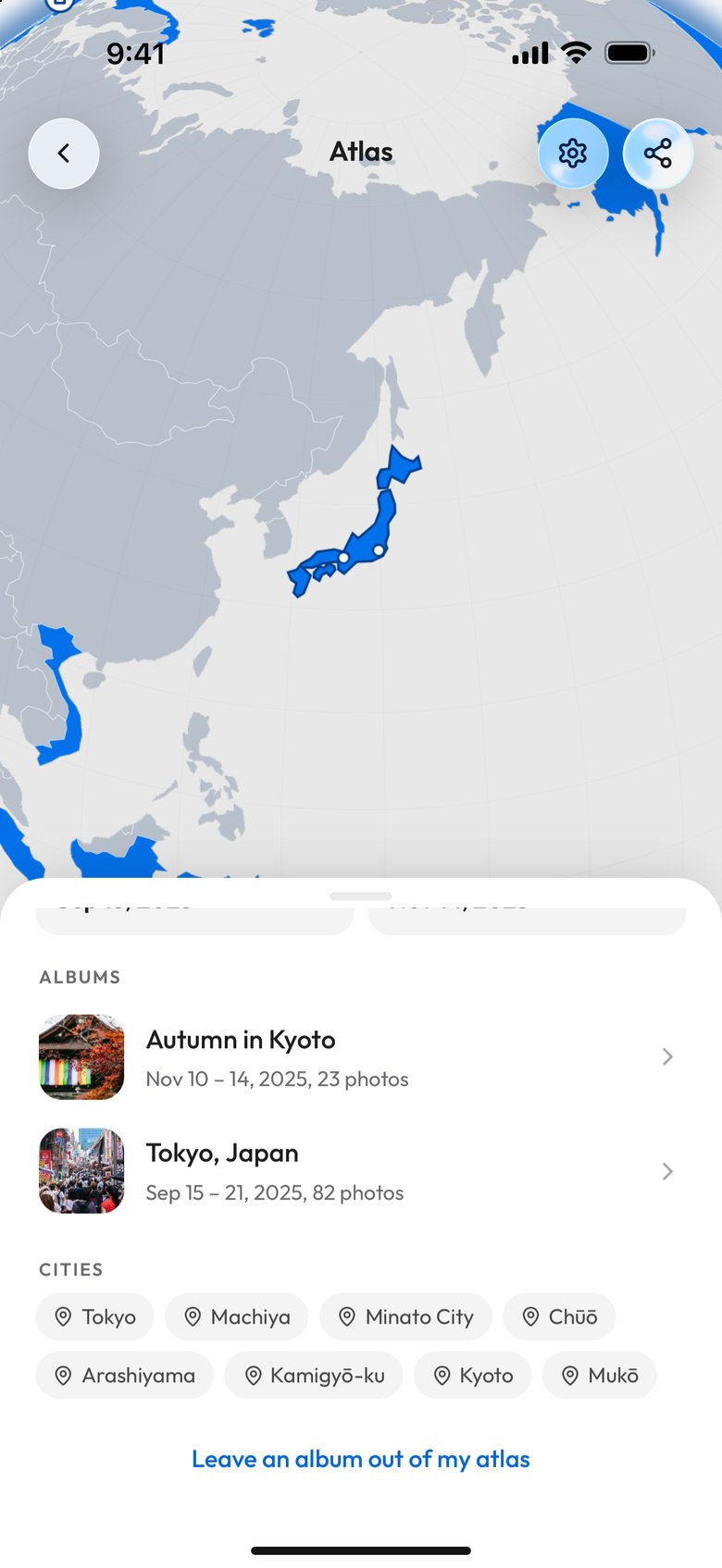
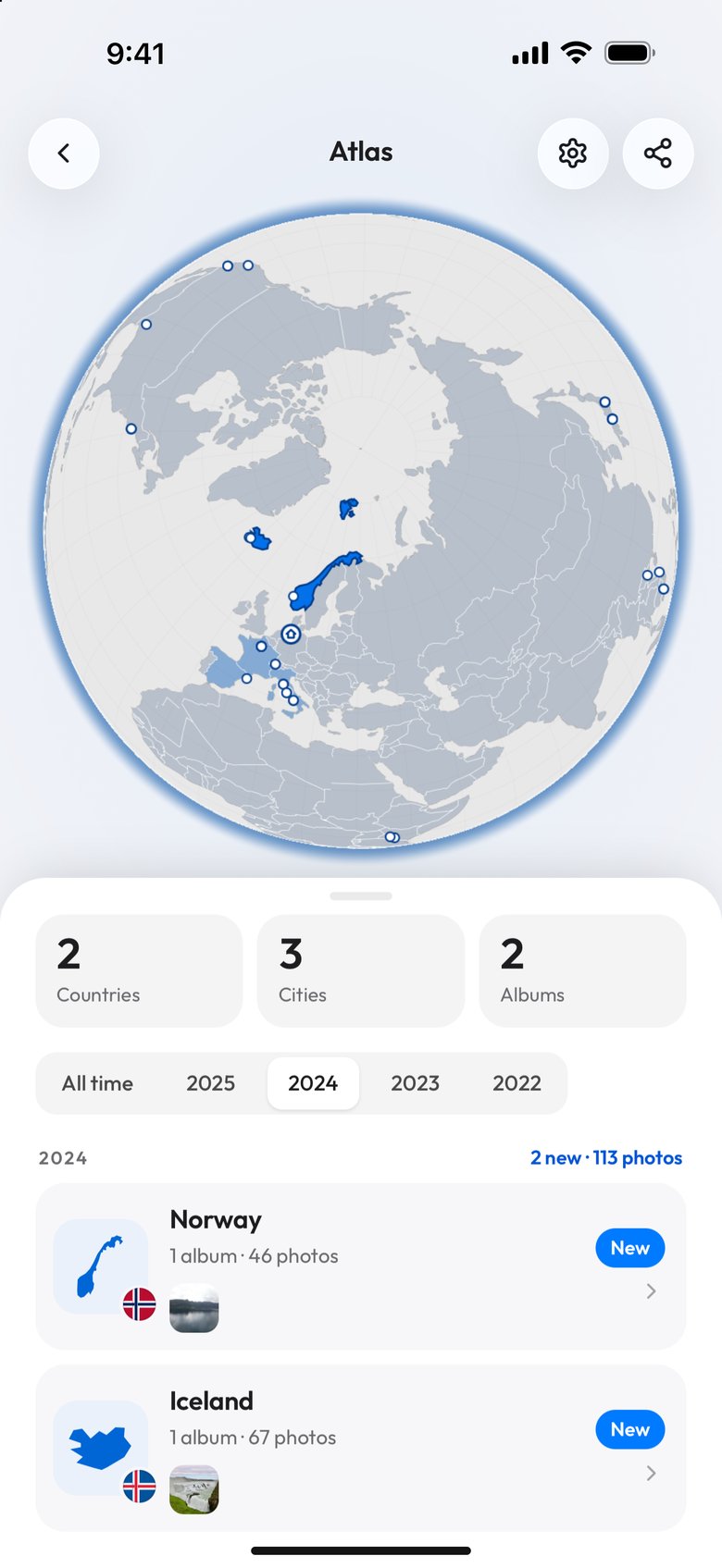
Under the tiles sits a row of years, starting with All time and then running from the most recent year back to the oldest one your photos were taken in. Pick 2024 and the tiles count only 2024, the list shows only the countries photographed that year, and the label above it says how many of them were new. The globe keeps the countries you had already been to before, drawn in a paler blue, so a year reads as what it added to the map rather than as a map that starts again from nothing.
The years come from when each photo was taken, as the photo itself records it, not from when it was uploaded. A box of photos from a 2019 road trip uploaded last week lands in 2019. With photos from a single year, the row does not appear at all, because there is nothing to choose between.
The trip you are on now, and home
When photos you took in the last 72 hours are in a country that is not home, the Atlas shows a card reading On a trip now above the country list, with the country, the album, the day the trip started and how many photos it has so far. It goes away by itself three days after the last of them.
That only works if the Atlas knows where home is, so when you open it, it asks: Is Germany home?, with the country you sign in from in place of Germany, and buttons to say yes, choose a different country or decide later. Home gets its own label in the list and never shows up as a trip.
The Atlas also tells you when a trip adds a country. If you allow notifications, a new country on your map arrives as one push, sent ten minutes after the last photo of the batch, so a week in three countries is one message and not three. The first country never sends one, and a push that would land between nine in the evening and nine in the morning waits until nine.
Why a country can be missing
A country is missing from the Atlas when the photos from that trip arrived without coordinates. The usual reasons:
- Photos picked through Android's photo picker. Android removes the location before it hands a photo to an app unless the app asks for it in a specific way, which is why Android photos lose their location. The Atlas itself suggests choosing the photos from Files instead.
- Photos saved out of a chat. A picture that came to you through a messaging app is usually a re-encoded copy, and the coordinates are gone.
- Screenshots and scans, which never had any.
- A camera with no GPS, which is most mirrorless and compact cameras unless they are paired with a phone.
If none of your photos has a location yet, the Atlas does not show an empty globe. It says your atlas is waiting for places, lists the albums that need them and has a button to add places to one. Setting a location by hand counts the same as one the phone recorded, and the metadata editor can set it on one photo or on a whole batch at a time, which is also the fix when a single trip is missing from an otherwise full map.
The opposite problem has a fix too. A work trip, or a friend's wedding album you contributed two photos to, can be left out from the country it appears in. Its places stop counting at once, everywhere the Atlas is shown, and Atlas settings has a list of everything you left out with a button to put each back.
Countries visited apps compared
The trackers people use for this split into two kinds: the ones you fill in, and the ones that fill themselves in from something your phone already recorded. This is what each one documents about itself, on its own site, help center or App Store listing, as of October 2026.
| App | How a country gets on the map | What it counts against | How you share it | Price |
|---|---|---|---|---|
| Viallo Atlas | By itself, from the GPS in the photos you upload | 197 countries; territories listed apart | Image, link, website widget | On every plan, including Free |
| Been | You tap each country | 250+ countries and territories, all 193 UN members among them | Branded image | Free; Premium is a one-time purchase |
| Visited | You select each place; it reads no GPS and no photo data | UN sovereignty status | Map and lists by message or social media; printed poster | Free; Visited Pro $59.99 |
| Skratch | You tap or search; camera-roll locations sort your photos by country | UN sovereign and observer states | Image, live link | Free; Power Ups are one-time purchases |
| Polarsteps | A step you add on a trip, or a country added by hand | Not stated | Trip link, trip map embed, followers | Free; Plus €29.99 a year |
| countries-visited.com | You click the map or tick a list | 236 countries and territories, or the 193 UN members | Not documented | No paid tier stated |
Polarsteps is the closest to automatic among the travel apps. It draws your route from the phone's location while a trip is being tracked, but tracking has to be switched on per trip, and a recorded location does not add a country until you add a step there. It also starts from the day you install it, where photos go back as far as your camera roll does.
The photo libraries already on your phone have the data and stop short of the count. Apple Photos has a map of every photo that carries GPS, and Google Photos groups pictures into places, but neither documents a count of countries or a way to share the map itself.

One trip on a map, or every trip on a globe
Each Viallo album has had a map of its own since spring 2026: the photos as pins, the route drawn between them in the order you took them, and a replay that flies along it. That is the view for one trip, and the guide to sharing travel photos covers it. The Atlas answers the other question, the one an album never could: across all of them, where have I been? The two are connected both ways. On a computer, an album's map has a Your atlas button, and every country in the Atlas lists the albums that put it there.
The Atlas is private. Nobody else can see it until you share it, and when you do, you choose what goes out: a picture for a story or a post, a link, or a small widget for a website. What each of those shows a stranger, and what none of them ever shows, is in how to make a travel map you can share.
It is on every plan, including Free, which holds two albums and 200 photos. That is enough to see it work on your last two trips; a decade of travel needs a paid plan for the albums, not for the Atlas.
Questions people ask about the Atlas
How do I make a map of the countries I've visited?
Use the location your photos already carry instead of tapping countries in. Upload your trip albums to Viallo and its Atlas colors every country the photos were taken in on a globe, with a count against 197 and the cities beside it. Manual tools such as Been or countries-visited.com are the better fit for trips you have no photos of, since they only need you to remember.
Can other people see my Atlas?
No, not unless you share it. Viallo keeps the Atlas private and shares it only as an image, a link or a website widget that you create. The link and the widget show countries and totals, never cities, dates or photos; two of the image styles add the month of each first visit. A Polarsteps trip works the other way round: it is visible to the followers you accept, and to anyone with its secret link, while you travel.
Why is a country I went to not on my map?
Because none of the photos from that trip carry coordinates. Viallo counts a country only from a photo's GPS location, and a location you add by hand in the metadata editor counts the same. The usual causes are Android's photo picker, photos saved out of a chat app and cameras without GPS.
Does Hong Kong count as a country?
Not in the count, but it is on the map. Viallo lists Hong Kong, Greenland, Puerto Rico and 39 other territories as their own rows and keeps them out of the 197-country total. Other trackers draw that line differently, so two apps can give the same traveler different numbers.
Do photos from a shared album count?
Only when you can add photos to that album. Viallo counts an album someone else owns if you joined it as a contributor, because that is a trip you were on, and leaves out albums you were only sent to view. Any album that does count can be left out from its country's page if it should not shape your map.
If the trips themselves are what you want to share rather than the count, the albums are the place to start: sharing travel photos with family covers the link people open without an account.