Ask your AI assistant what is actually in your photos
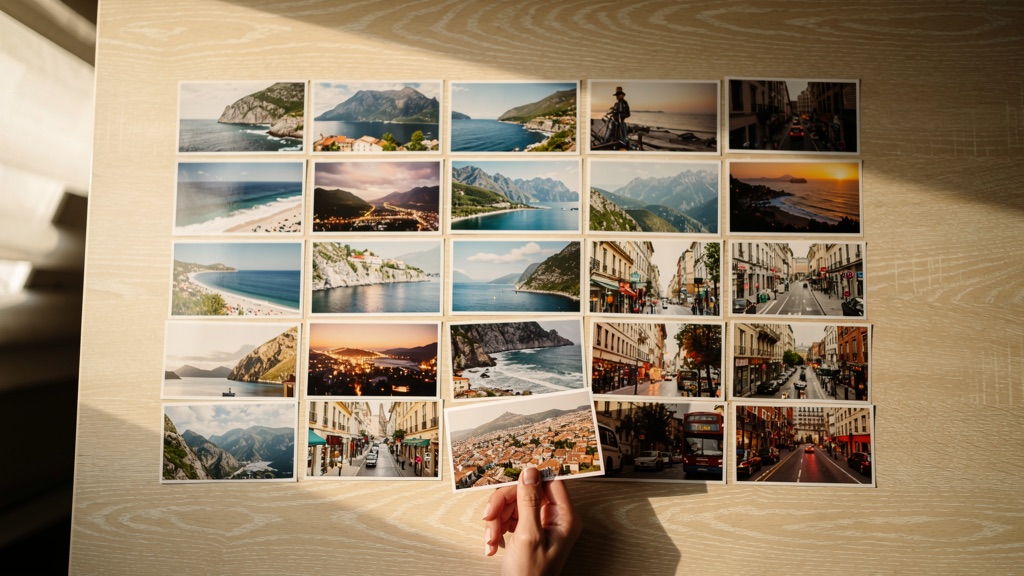
Which church that was. Which day you were in Palermo. What you were eating on the terrace. Connect Viallo to Claude or ChatGPT and it will go through the album with you — naming what it sees, writing it onto the photos, and giving the trip back to you in order. In plain language, in whatever language you already use with it.
Included on every plan, the free one too. Nothing happens until you confirm.
What you would actually ask it
Say the sentence on the left. On the right is what happens in your library.
Finally know what you were looking at
“Go through my Rome photos and tell me what each one actually is — name the church, the fountain, the square — and write it onto the photo.”
Your assistant opens the pictures, names what it recognizes, and writes it back onto every photo in one go, up to a hundred at a time. Years later you can still read what you were standing in front of.
Get the whole trip told back to you
“Walk me through my Sicily album — where did we start, what did we see, where did we end up?”
It reads the dates, the places and the photos themselves and gives you the trip back in order, day by day. Ask it to write the good parts into the captions and it will.
The album that never got made
“Everything from that week in July is Sicily — make the album and move them in.”
Creates the album and moves the photos across, without you clicking through hundreds of thumbnails. In Viallo a photo lives in exactly one album, so this moves them rather than copying them.
Put the camera right, years later
“These are Palermo on the 4th of April — the clock was an hour out and it never caught the location.”
Fixes the capture dates and puts the photos on the map where you say they belong, then re-runs the album’s place grouping so your timeline and your map finally agree with your memory.
Find the one you can picture but cannot name
“Find the photo of the blue door — I think it was that same summer.”
Searches captions, tags, place names and album names, then narrows down by when you were there. Once your photos have captions written on them, this is how you get them back.
Send it to the people who were there
“Share the Sicily album with everyone who came.”
Creates the same public link the app creates — no account needed to open it. Ask later which links are still live, and revoke any of them by name.
How it works
MCP is an open standard that lets an AI assistant use tools from another service. Your assistant does the thinking; Viallo answers only what you approved.
1
Connect once
Your assistant opens a Viallo sign-in page and asks what it may do. Read-only is the default — write access is a separate, explicit choice on the same screen.
2
Ask in plain language
There are no commands to learn. Describe what you want the way you would say it to a person, in whichever language you already use with your assistant.
3
Viallo answers that one request
Your assistant calls one narrow tool — list albums, write a caption, create a share link. Viallo answers exactly that and nothing more, and every call is written to your activity log.
Connecting it
Once, per assistant. You sign in to Viallo and choose what it may do — read-only unless you say otherwise.
Claude
Easiest
Works on Claude’s free plan, with nothing to switch on first. The button fills in the connector for you — you check the details, add it, then approve the permissions.
Copy this and paste it into a Claude chat. It will walk you through the rest.
Set it up on a computer. Once it is connected, it works in the Claude apps on your phone too.
ChatGPT
Advanced
Honestly: this one is fiddly, and it is OpenAI’s doing rather than ours. Custom MCP servers sit behind a developer setting, on a paid plan, on the web only.
1.On chatgpt.com, open Settings → Security and login and turn on Developer mode.
2.Go to the Plugins page and press the + button.
3.Paste the Viallo endpoint below and complete the sign-in.
If that sounds like more trouble than it is worth, it probably is — Claude takes about a minute.
The address, for any assistant
https://mcp.viallo.app/mcp
Opening this address in a browser shows an error, and that is normal — it is not a web page. It only means something to an AI assistant.
Where else to paste it
PerplexityPro and above
GrokSuperGrok and above
Claude CodeOne command, below
CursorSettings → MCP → Add remote server
VS CodeMCP: Add Server → HTTP
LM StudioWith a local model
claude mcp add --transport http viallo https://mcp.viallo.app/mcp
What it can and cannot reach
Connecting an assistant to your photos is a real decision, so here is the plain version.
Metadata first, photos only when you ask
By default your assistant reads the writing around your photos — album names, dates, places, captions and tags — not the photo files. It gets the picture itself only when you ask to see a specific photo, and every one of those is logged.
Four permissions, granted separately
Your account, browsing, organizing and sharing are four distinct permissions. An assistant that only got browsing cannot change a thing, however you phrase the request.
Revocable in one click
Connected Apps in your Viallo settings ends a connection immediately. Security activity is kept for 90 days, so you can see what was accessed and when.
MCP is an open standard that lets an AI assistant use tools and data from another service. Viallo runs an MCP server at mcp.viallo.app, so assistants such as Claude and ChatGPT can browse your albums, write captions and create share links for you. The assistant does the thinking; Viallo only answers the specific requests you approved when you connected. Anthropic published the standard in November 2024 and every major assistant now supports it.
Can an AI assistant see all my photos?
No. Viallo’s MCP server returns metadata by default — album names, dates, places, captions and tags — not the photo files. An assistant reads the actual image only through the view_photo tool, which runs when you ask to see a particular photo, and every one of those calls is written to your activity log. That is a stricter default than uploading a folder to ChatGPT, or than Google Photos’ own AI features, where the service processes the images themselves.
Which AI assistants can connect to Viallo?
Claude is the one to start with: it works on the free plan, there is nothing to turn on, and once you have connected on a computer it works in the Claude apps on your phone. ChatGPT can connect too, but only on a paid plan, only on the web, and only after you switch on Developer mode. Perplexity and Grok work on their paid tiers. Developer tools such as Claude Code, Cursor and VS Code use the same endpoint.
Can my assistant write captions on my photos?
Yes, and that is one of the better reasons to connect it. Hand your assistant a set of photos and ask it to caption them, and it writes one caption per photo and saves them all in a single call — up to a hundred at a time. It can also fix dates and places on the same call, which is useful when a camera clock was wrong. The captions appear in Viallo exactly as if you had typed them, and you can edit or clear any of them in the app.
What is the difference between connecting Viallo over MCP and uploading photos to ChatGPT?
Uploading sends the image files to the assistant, where they are processed and, on consumer plans, may be retained and used for training unless you opt out. Connecting Viallo over MCP sends metadata by default and leaves the files in Viallo’s storage until you ask for a specific photo. The trade-off is real: an upload lets the assistant analyze what is in the picture, while Viallo’s MCP server answers from the text around it.
How does search work over MCP?
Search runs on text that you or your camera created: captions, tags, filenames, dates and place names. Google Photos works the other way round and analyzes image content to power its search.
How do I disconnect an assistant?
Open Connected Apps in your Viallo settings and revoke the connection — that deletes its tokens immediately and the assistant loses access on its next call. Removing the server in your assistant’s own settings tidies up that side, but revoking in Viallo is what actually cuts off access. Security activity entries are kept for 90 days so you can review what was accessed and when.
Do I need a paid plan to use MCP?
No. MCP access is included on every Viallo plan, including the free one — 2 albums, 200 photos and 10 GB, no credit card. Your plan limits still apply to whatever the assistant does: ask it to create a third album on a free account and the call fails exactly as it would in the app.
Start with one trip
Connect it, point your assistant at the trip you remember best, and see what it says back. The free plan is enough: 2 albums, 200 photos, 10 GB, no card.
The technical detailEighteen tools, four permissions, and the protocol specifics.
Your account
profile.read
get_me
Display name, email, plan and storage usage.
Browsing and search
albums.read
list_albums
get_album
list_photos
get_photo_metadata
search_photos
view_photo
Metadata only, apart from view_photo — which hands over one photo you asked to see, and is logged every time.
Organizing
albums.write
create_album
update_album
delete_album
update_photos
add_photos_to_album
remove_photo_from_album
request_upload_url
confirm_upload
update_photos writes captions, tags, dates and places onto up to 100 photos at once. Deleting works the same way it does in the app: the files go, permanently.
Sharing
share_links.manage
create_share_link
get_share_links
revoke_share_link
The same links the app creates, with the same permission levels.
Transport is Streamable HTTP, stateless, on the official MCP SDK. Authentication is OAuth 2.1 with PKCE and scoped consent; the server publishes RFC 9728 protected-resource metadata and uses Client ID Metadata Documents rather than dynamic client registration. Errors come back structured rather than as stack traces, and listings are cursor-paginated.