A Photo Editor for Your Trip Photos: Viallo Studio
Viallo Studio is a photo editor inside Viallo, the private photo sharing platform. It opens from an album, a photo or the Atlas, so it starts with the places and dates your trip photos already carry. It makes a Story, a Post, a Square or a size you choose. The free plan allows three creations a calendar month; Plus and Pro have no limit; the export is the same on every plan.
What Studio does
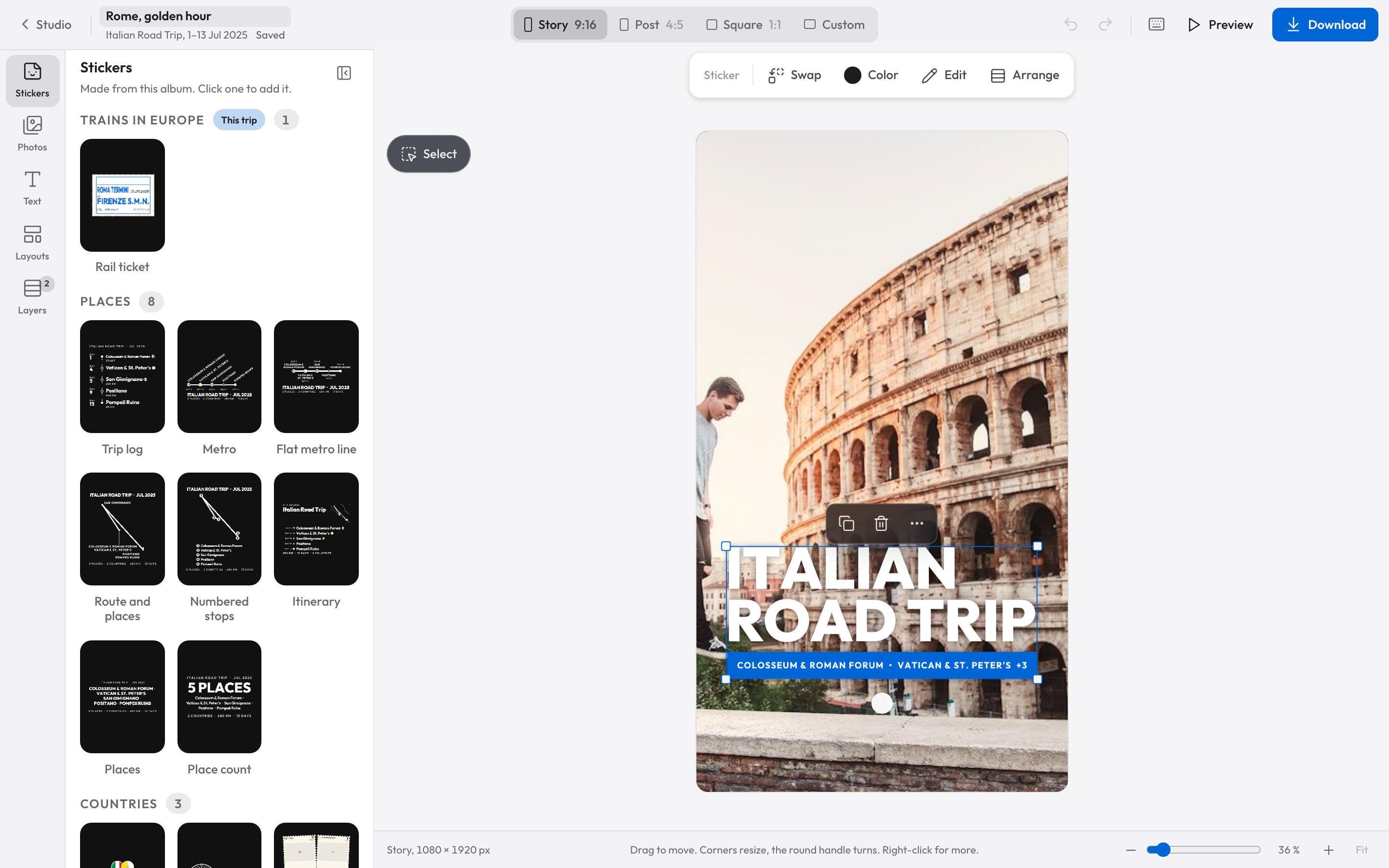
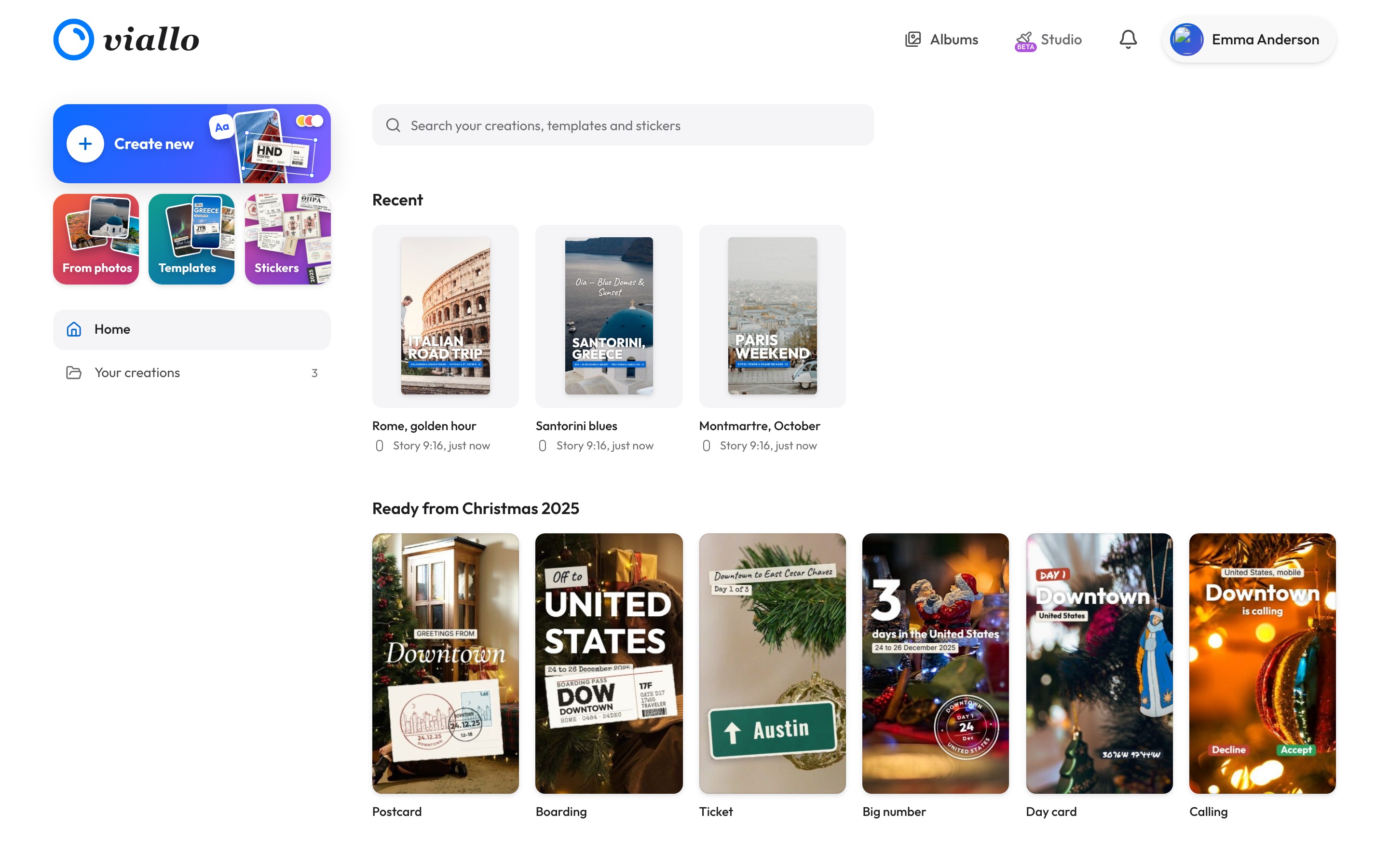
Viallo is a private photo sharing platform: an album is a link you send, and the people you send it to open it in a browser without making an account. Studio is the editor inside it. It opens from the Share window of an album, from a photo in the album viewer, from the Atlas share window and from the Studio tab of the app. You begin with the trip you were already looking at, not with an empty canvas and a file picker.
On the canvas you can crop the photo, turn it, mirror it and put a frame around it. On top of it you add text layers with a choice of fonts, colour and outline, sticker layers and shapes. The layers list lets you hide one, move it up or down and delete it, and undo and redo sit where you expect them. That is a small set of tools next to a desktop editor, and it is enough for the thing most trip photos need: a crop, a line of text and something that says where you were.
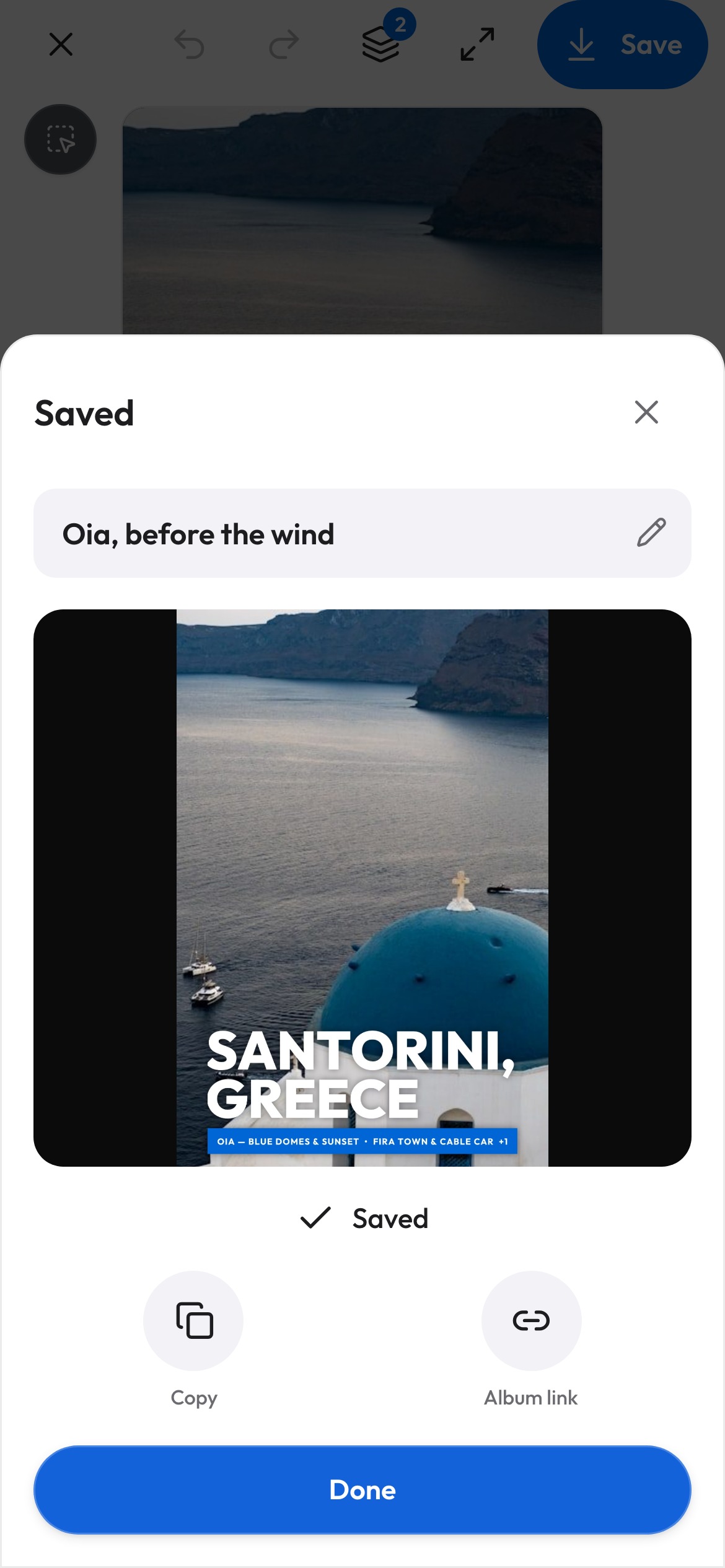
That last part is what Studio has and a general editor does not. A trip sticker is drawn from the album itself: its places, its days and the distance between them. The Atlas that groups your photos by country is one of the doors into the editor, and how the Atlas counts a country is worth reading before you trust the numbers on a sticker.
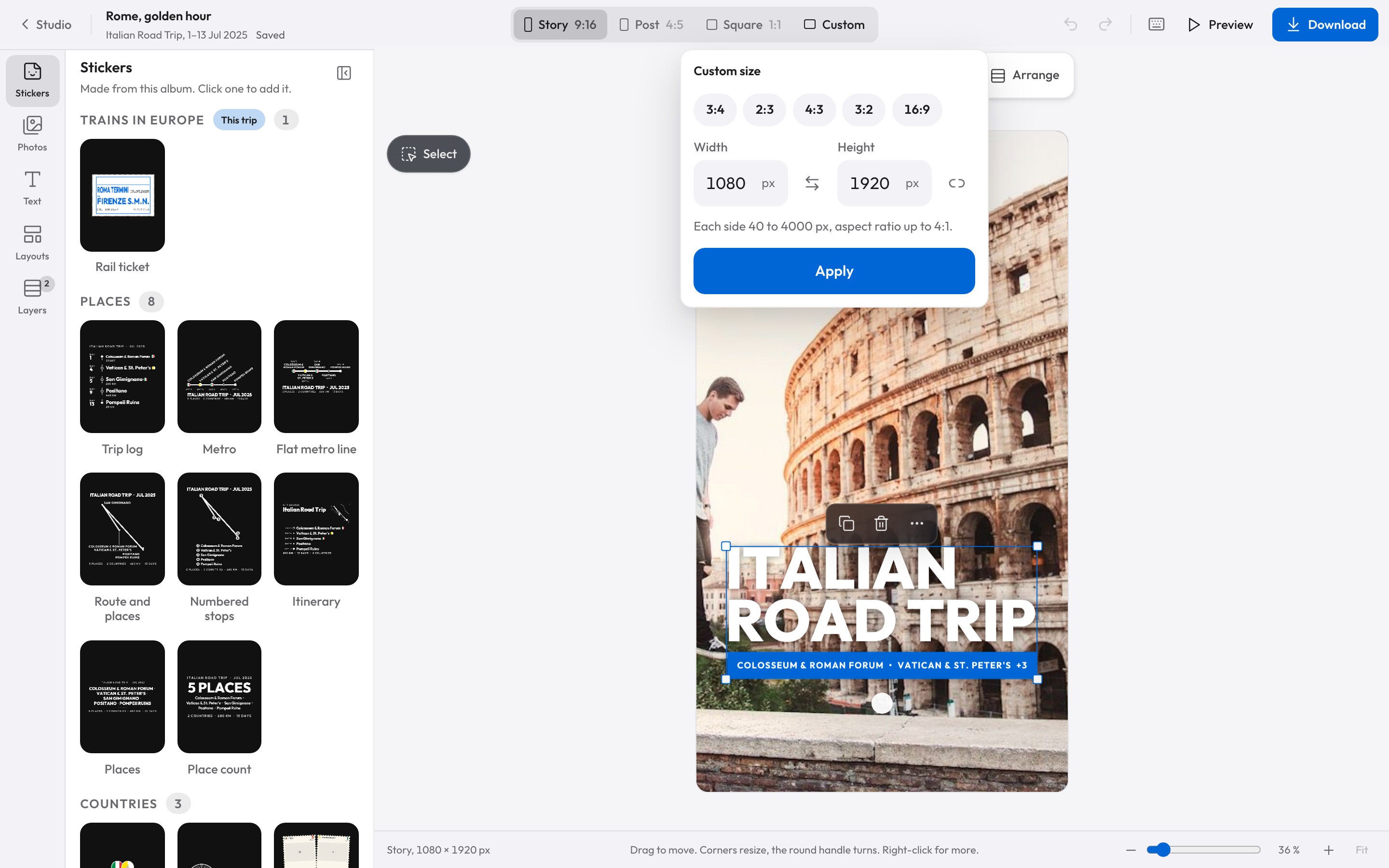
Studio starts you on one of three formats or on a size you type in: Story at 9:16, Post at 4:5, Square at 1:1, or any size from 40 to 4000 pixels a side with a ratio up to 4:1. The fixed three cover an Instagram story, an Instagram post and a square grid. The custom size is there for a print, a header or a place that is not a social network.
Three creations a month, or none at all
On the free plan, Studio counts three creations per calendar month. A creation is the working file with your layers in it, not the export. Duplicating a creation spends one, and deleting one does not give the count back. Plus and Pro carry no limit, and Viallo's pricing lists them beside the free plan.
The export is identical on every plan. There is no watermark on a free creation, no resolution cut and no format held back for a paid tier. What the plans change is how many creations you can keep going at once, not what comes out of them. Three is enough to make a sticker for one trip and try a second version. It runs out quickly if you are redoing the same day until it looks right.
Everywhere you already are
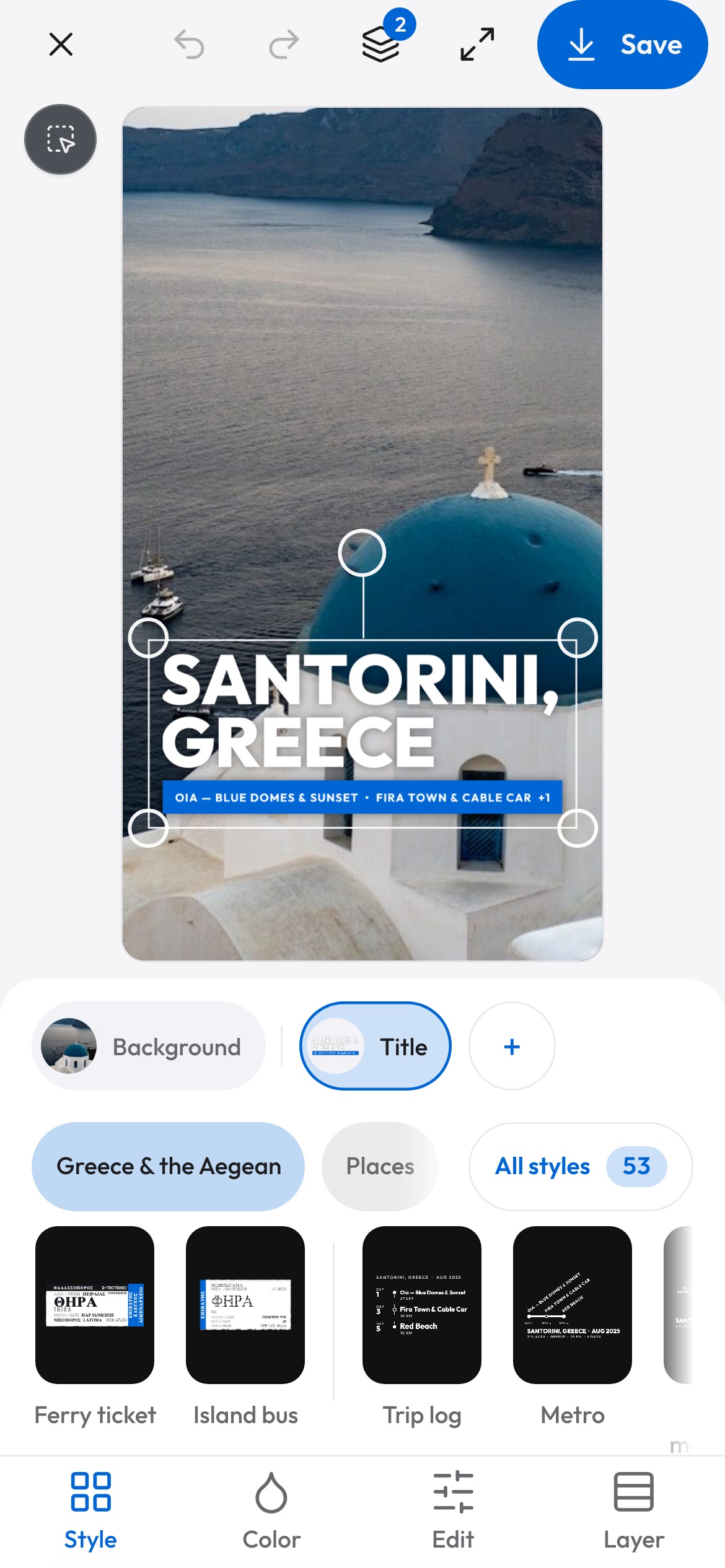
Studio works in a desktop browser, in a phone browser and in the Viallo iOS and Android apps, which load the same web app. There is no separate mobile editor to learn and no desktop-only feature that disappears on a phone. The same album, the same creation and the same export are there whichever one you open.
For the part that comes after the edit, the travel photo sharing guide compares how a finished trip reaches the people who were on it.
What it will not do
Studio is new. A beta notice greets the first visit, and the editor is still changing, so a tool can move between one visit and the next.
It runs in a browser, so it needs a connection. A creation belongs to the account that made it: sign in on another device and it is in Studio at the state you left it. A guest who edits through a share link has no account, so that creation stays on the device and goes no further. Two people cannot work inside the same creation at once, and no part of the editor is generated by AI. What it does, it does to the photo you chose and the layers you add. If you need offline editing, a shared canvas or a model that fills in what is missing, this is not the tool for that job.
It is also an editor, not a vault. Your photos sit in a private album that opens only for the people you share it with, and nothing you make in Studio is published anywhere until you export it and post it yourself. That is a different promise from a product built to hide photos from the service that stores them.
How was this checked?
This describes Viallo Studio as it behaves in the app on 2 November 2026. The entry points, the four formats and their limits, the tools in the canvas, the three-creations count on the free plan and the export rule were checked in Viallo's own source and in the running editor, not taken from a press kit. Studio is in beta and a detail can change after this date. The count and the export rule are the two worth rechecking before you rely on them.
A photo editor for trip photos: the short answers
What is the best photo editor for trip photos?
The best one is the editor that already knows where the photo was taken. Viallo Studio opens inside the album, so a trip sticker fills itself from the album's places, days and distance, and Story, Post, Square and custom sizes are one click away. Snapseed and Google Photos' editor start from the camera roll instead, so they know nothing about the album around the picture.
How do I make a trip sticker from an album?
Open the album's Share window and press Share trip sticker, or open a photo and press Add trip sticker. Viallo builds the sticker from that album's places, days and distance, and you can switch places off, rename one or type your own number before you export. The Studio tab in the app gets you there too, and you pick the album inside it.
Is it private to edit photos in Viallo Studio?
The photo stays in the album you already share, and nothing made in Studio is published until you export it and post it yourself. Viallo is a private photo sharing platform where an album opens only for the people holding the link. It is an editor, not a vault: do not treat a creation as hidden from the service that stores your album.
What is the difference between the free plan and Plus?
The free plan allows three Studio creations a calendar month, and Plus and Pro allow any number. The export does not change: same resolution, no watermark and every format on every plan. Duplicating a creation spends one of the three, and deleting a creation does not return it.
I have 400 photos from one trip. Where do I start?
Pick the few that carry the trip, then make a sticker from the album and put it on the strongest one. Use Story size if it is going to a story and Square if it is going into a grid, and export it yourself rather than posting from inside the editor. A trip does not need 400 edited photos; it needs one that says where you were.
If the map is the part you want rather than the edit, how to make a travel map you can share covers the image, the link and the website widget that come out of the same Atlas.