EXIF data viewer
36.43712°N114.51391°W
Where our example photo was taken, read from its metadata.
See everything a photo file carries: camera, lens, exposure, date and GPS location. The photo is read on this device and never uploaded.
Drop photos here
JPEG, HEIC, AVIF, PNG or WebP, up to 20 photos at a time.
It runs on this device, so it keeps working in airplane mode.
What a photo file can carry
Viallo read 2,984 photos picked at random from Wikimedia Commons. 57% named the camera maker, 13% carried a serial number and 11% a location. Of the photos made by a phone, 53% carried a location.
See the studyLocation
GPS coordinates, often to within a few metres, plus altitude and the direction the camera faced.
GPSLatitude 36° 26′ 13.6″ N
Date and time
The moment it was taken, to the second, and often the time zone.
DateTimeOriginal 2025:06:14 09:41:22
Device
The phone or camera make and model, the lens, and on many cameras a serial number.
BodySerialNumber 093021004417
Camera settings
Shutter speed, aperture, ISO, focal length and whether the flash fired.
ExposureTime 1/2400
Software
The app that last saved the file, and sometimes a record of the edits.
Software Adobe Lightroom 9.2
A small preview
Some cameras store a thumbnail inside the file. An editor that crops the photo can leave the old, uncropped thumbnail in place.
ThumbnailImage 160 × 120
Your photo stays on this device
Your browser opens the file
The tool is code in this page, and it reads the photo from your device's memory.
IMG_2041.HEIC4.2 MBIt writes a copy without the metadata
The image data is copied byte for byte, so nothing is recompressed.
Taken 63 km from Las Vegas on 14 June 2025It checks the copy
Before you can save it, the tool reads the copy again and confirms the metadata is gone.
No location, date or device found
To check it yourself, load this page, turn on airplane mode and add a photo. The tool keeps working because it doesn't need the internet.
What the clean copy will be
| Photo | Clean copy | What changes |
|---|---|---|
| JPEG | a JPEG with the same pixels | It keeps the colour profile, the orientation and the HDR layer of iPhone photos. |
| It keeps the colour profile, the orientation and the HDR layer of iPhone photos. | ||
| HEIC | a HEIC with the same pixels | It keeps the colour profile and orientation. The metadata is overwritten inside the file, so the size doesn't change. |
| It keeps the colour profile and orientation. The metadata is overwritten inside the file, so the size doesn't change. | ||
| AVIF | the same as HEIC | |
| PNG | a PNG with the same pixels | It keeps the colour profile and transparency. |
| It keeps the colour profile and transparency. | ||
| WebP | a WebP with the same pixels | It keeps the colour profile, transparency and animation. |
| It keeps the colour profile, transparency and animation. | ||
| RAW and TIFF | view only | The tool shows what these files carry but can't save a clean copy. Export a JPEG first. |
| The tool shows what these files carry but can't save a clean copy. Export a JPEG first. | ||
Remove location on your phone
iPhone
To send a photo without its location, tap Share, then Options, and turn off Location. Location Not Included shows above Options once it is off.
To stop the iPhone camera recording a location, go to Settings, Privacy & Security, Location Services, Camera, and choose Never.
Android
Google Photos can't remove a location your camera saved. Use the tool above for a clean copy.
To stop an Android camera recording a location, turn off location in your camera app's settings.
Keep the location where it helps
In a Viallo album, the location puts each photo on a map of your trip. Albums are private until you share them, and anyone you share one with can download the original, location included.
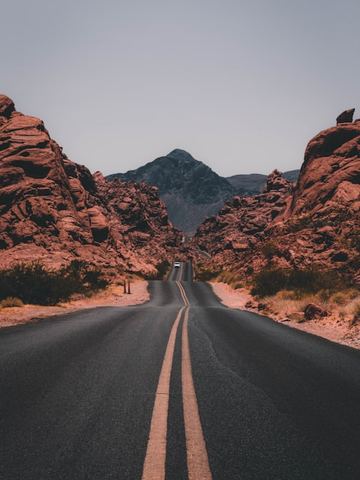



Nevada road trip
48 photos in 6 places
Questions
Are my photos uploaded?
No. The viewer reads them in your browser. The page sends an anonymous count of how many photos were checked and in which formats, never the photos, their names or their metadata.
What is EXIF data?
Details a camera or phone writes into the photo file when it takes the picture: the date and time, device, lens, exposure settings and often the GPS position.
Which formats can it read?
JPEG, HEIC, AVIF, PNG and WebP, and the metadata of RAW and TIFF files. It reads EXIF, GPS, XMP and IPTC.
How do I see EXIF data on my phone?
On iPhone, open the photo in Photos and swipe up. On Android, open it in Google Photos and swipe up.
Can I remove what I see?
Yes. Remove metadata saves a copy without it, or without just the location, and the image data is copied unchanged.