QR code for photos
One QR code. Every photo your guests took.
Create an album and download its QR code. Anyone who scans it adds their photos from the phone they have. Nothing to install, nothing to sign up for.
- Free to start
- Print-ready PNG
- Full-size photos








How it works
From nothing to a printed code in two minutes
- 1
Make the code
Create an album. Its QR code downloads as a print-ready PNG.
- 2
Guests scan and pick
Their camera opens the album in the browser. They choose photos and tap once.
- 3
You keep every photo
Every photo lands in your album at full size, with no expiry date.













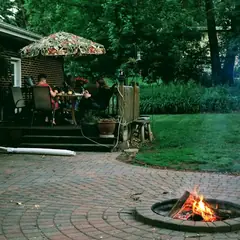
No app.No account.No name to type.
Most guest-photo tools lose people at the sign-in screen. Here the link opens straight onto your album, in whatever browser the phone already has, on iPhone and Android alike.
Where to put it
The code goes wherever people will be.
It is one image. Hand it to whoever does your printing, or drop it into a slide.
The other ways
Other ways to collect photos with a code
Will people use it?
What decides whether people scan it
A code nobody explained gets ignored. One sentence out loud changes the count.
On the tables and by the bar. A sign at the entrance is passed, not scanned.
The same album has a link. Message it the day before and the day after.
What it costs
The code is free
2 albums, 200 photos, 10 GB of storage. Any number of people can add photos.
20 albums, 5,000 photos, 200 GB of storage. It is your account, so it covers the next occasion too.
The free plan gives you the album, the link and the code for 200 photos. Bigger events need Plus, and the code stays the same.
Before you start
Questions people ask about the code
Is this a QR code that shows a photo, or one that collects them?
Viallo collects them. People scan the code and add their own photos to your album.
Is the QR code free?
Yes. Viallo includes the code with every album, including on the free plan.
Does the code expire?
No. Viallo keeps the code working for as long as you leave the upload link on, and you can switch it off yourself.
Do guests need an app to scan it?
No. The phone's camera opens it, and the Viallo album opens in the browser.
Can guests upload video?
Photos only. Viallo does not take video.


Print one code. Get every photo.
Create your QR code - free- Free to start
- Print-ready PNG
- Full-size photos