Shared Album Invite Not Working? How to Fix It
Last updated: October 26, 2026
A shared album invitation fails when it cannot reach the recipient's account: it went to an address that is not on their Apple or Google account, Shared Albums is off on their iPhone, or the owner has not approved their request. On 26 October 2026, iCloud, Google Photos and Dropbox each offered a link that needs no account.

Why Isn't My Shared Album Invite Working?
An invitation is addressed to a person's account, and it opens only when that account is the one the recipient is using. A link works differently: holding it is the access. Most of the fixes below come down to which of the two was sent, and on iCloud that now depends on when the album was made.
Apple changed Shared Albums with iOS 27. Apple's own help page says albums created on iOS, iPadOS or macOS 27 can be shared with a link, and "Friends and family will be able to join and contribute their own photos on the web, even without an Apple Account or Apple device." Albums created on version 26 or earlier still work by invitation, and that is where the address problems live.
What Each Platform Actually Sends
The table was checked on 26 October 2026 against each service's own help page, linked from its name; the Viallo row comes from Viallo's source code. Every cell, with the exact sentence behind it, is in dataset.csv.
| Platform | What you send | What the recipient must already have | A failure the service documents |
|---|---|---|---|
| iCloud Shared Albums, album created on iOS 26 or earlier | An invitation to an email address or iMessage phone number | iCloud; people who do not use iCloud see the album only if the owner turns on Public Website | Shared Albums switched off on the iPhone; turn it on, then ask for the invitation again |
| iCloud Shared Albums, album created on iOS 27 or later | A link, or invitations the owner approves | Nothing: people can join on the web without an Apple Account or Apple device | The owner can require approval, so a request waits until the owner approves it |
| Google Photos shared album | A direct share to a Google Account, or a link for everyone else | A Google Account for a direct share; nothing for a link | Removing someone does not cut off the link: anyone with it can still view the album |
| Dropbox shared folder | An email with a link to the folder | A Dropbox account, logged in; without one the owner can send a view-only link | Shared with someone who has no Dropbox account, they can only preview it |
| Viallo album link | A link whose id is 16 random bytes written as 32 hexadecimal characters | Nothing: the endpoint that opens a share link is public | The owner revoked the link, or the expiry date the owner set has passed |
Each failure the services document sits between what was sent and the recipient's account: a setting on the iPhone, an approval by the owner, a login to Dropbox. Google's runs the other way, because a link keeps working after the person is removed. And iCloud, Google Photos and Dropbox each offer a link as their own fallback.

iCloud Shared Albums: First Find Out When the Album Was Made
Apple's pages now describe two kinds of shared album, and the fix depends on which one the invitation is for. The owner can tell from Apple's resend instructions: on iOS 26 the owner selects a person in the list of subscribers and taps Resend Invitation, while on iOS 27 the owner shares the album link again or taps Copy Album Link.
An album created on iOS 26 or earlier
The owner typed an email address or an iMessage phone number, and the invitation goes to whatever that reaches. Apple's advice for a missing invitation starts there: "Ask the person who invited you which email address that they used to send the invite." If it is an address the recipient reads but not one on their Apple Account, Apple lets them add it at account.apple.com under Email & Phone Numbers, and names Photo Sharing among the services an extra address helps with. The catch, also Apple's: the address "can't already be associated with a different Apple Account."
Shared Albums is switched off. It is its own switch, at Settings, your name, iCloud, Photos. Apple says that if it was off, turn it on and ask the sender to resend the invitation. The same page lists Notification Center, the Photos app and iCloud.com as the places an invitation can be accepted.
They once clicked "Don't Send Me Shared Album Emails". Apple's invitation emails carry that opt-out at the bottom. Apple documents the undo: open an old invitation email, click the same link, then click "Undo this change". Without an old invitation, Apple's remedy is to contact Apple Support and ask to receive Shared Album invitations again.
The album has hit a ceiling. Apple's Shared Albums limits page (published 14 September 2026) caps these albums at 100 subscribers and 5,000 photos and videos, and an owner at 200 invites a day.
For someone who does not use iCloud at all, the owner can turn on Public Website, which in Apple's words publishes the photos "to a website that anyone can see in an up-to-date web browser." That gets them looking without any Apple Account.
An album created on iOS 27 or later
There is no address to get wrong. The owner chooses under Sharing Options whether to invite and approve people or to share the album with a link, and the other person joins by opening the link on an Apple or non-Apple device. Someone invited without an Apple Account, per Apple's page on participant permissions, "can verify their email address to view, comment, and add photos to the shared album." These albums have no cap on albums or photos beyond the owner's iCloud storage, and up to 100 participants including the owner.
Two things still stop people. The owner can choose to "only allow people they invite or approve to access", so opening the link sends a request and nothing happens until the owner approves it under Invitations and Access Requests. And Apple says participants whose devices are not on the latest software "will have to update their devices or view the album on iCloud.com." For a family split between iPhone and Android, the options are in sharing a photo album between iPhone and Android.
Google Photos: An Invitation Needs a Google Account, a Link Does Not
Google draws the line itself. Its sharing help page says you can share an album directly "to anyone with a Google Account", found in your contacts or by email address or phone number, and "for everyone else, you can create a link to share." If a direct share is not reaching someone, the link is Google's own answer: "If your contact doesn't have a Google Account, you can send them a link or share using another app instead."
Two Google rules matter once the link is out. Anyone with an album link "can view the photos and add to the album" unless you turn off Collaborate under Options. And, per Google's page on album controls, removing a person is not enough while link sharing is on: "anyone with the original link can still view the album". Turning link sharing off and back on makes the old link stop working. What each platform requires before someone can upload is laid out in what each platform requires before someone can upload.
Dropbox: The Folder Invitation Needs a Logged-In Account
A Dropbox folder invitation is an email with a link, but on Dropbox's own help page the link opens the folder only for an account: "the person must have a Dropbox account and be logged in", and an individual user "needs to join the folder." Someone without an account will only be able to preview it. Dropbox's fallback is a view-only link, for people who do not have an account or prefer not to log in.
What to Check Before You Resend Anything
- Which kind of iCloud album it is - created on iOS 27 or later means a link, earlier means an invitation.
- The address the invitation went to - ask the sender, as Apple advises, and compare it with the addresses on the Apple Account.
- The Shared Albums switch on the iPhone - Settings, your name, iCloud, Photos; if it was off, ask for the invitation again.
- An old opt-out - click "Undo this change" from an earlier Shared Album email.
- A request waiting for approval - on an iOS 27 album, the owner may have to approve it.
- The software version - for an iOS 27 album, update the device or open the album on iCloud.com.
- The Google or Dropbox account - a direct Google share and a Dropbox folder both need the recipient's own account, the Dropbox one logged in.
- An expired transfer - on WeTransfer's free and Starter plans a transfer stays online up to 3 days.
The Version With Nothing to Accept: A Link
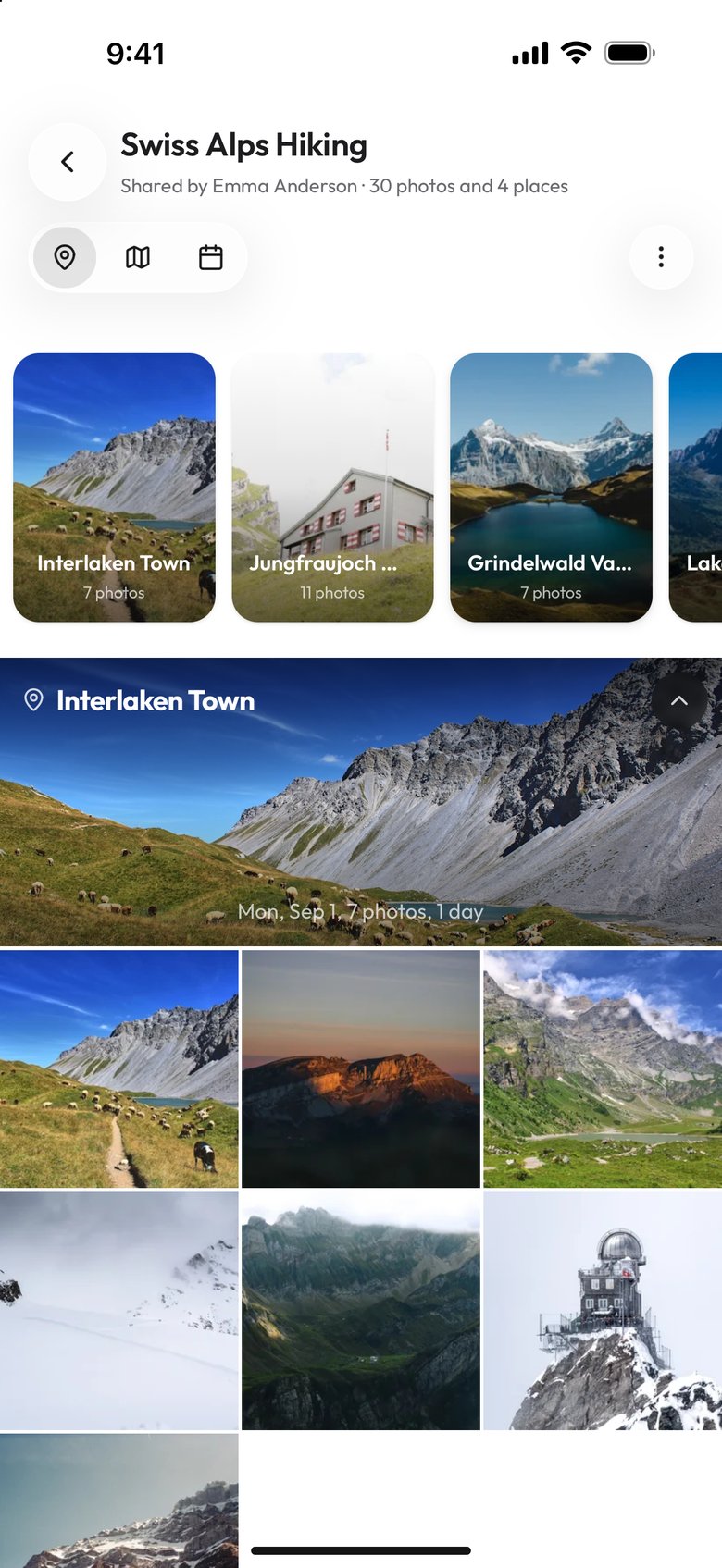
iCloud, Google Photos and Dropbox each already offer a link as a fallback. Viallo is a private photo sharing platform built around that mechanism: it stores photos at full resolution, does not scan them with AI or train AI on them, and opens a shared album in any browser with no account. An album link is the access. There is no invitation to accept and no address to match. The free plan covers 2 albums, 200 photos and 10 GB, and paid plans start at $6.99 a month.
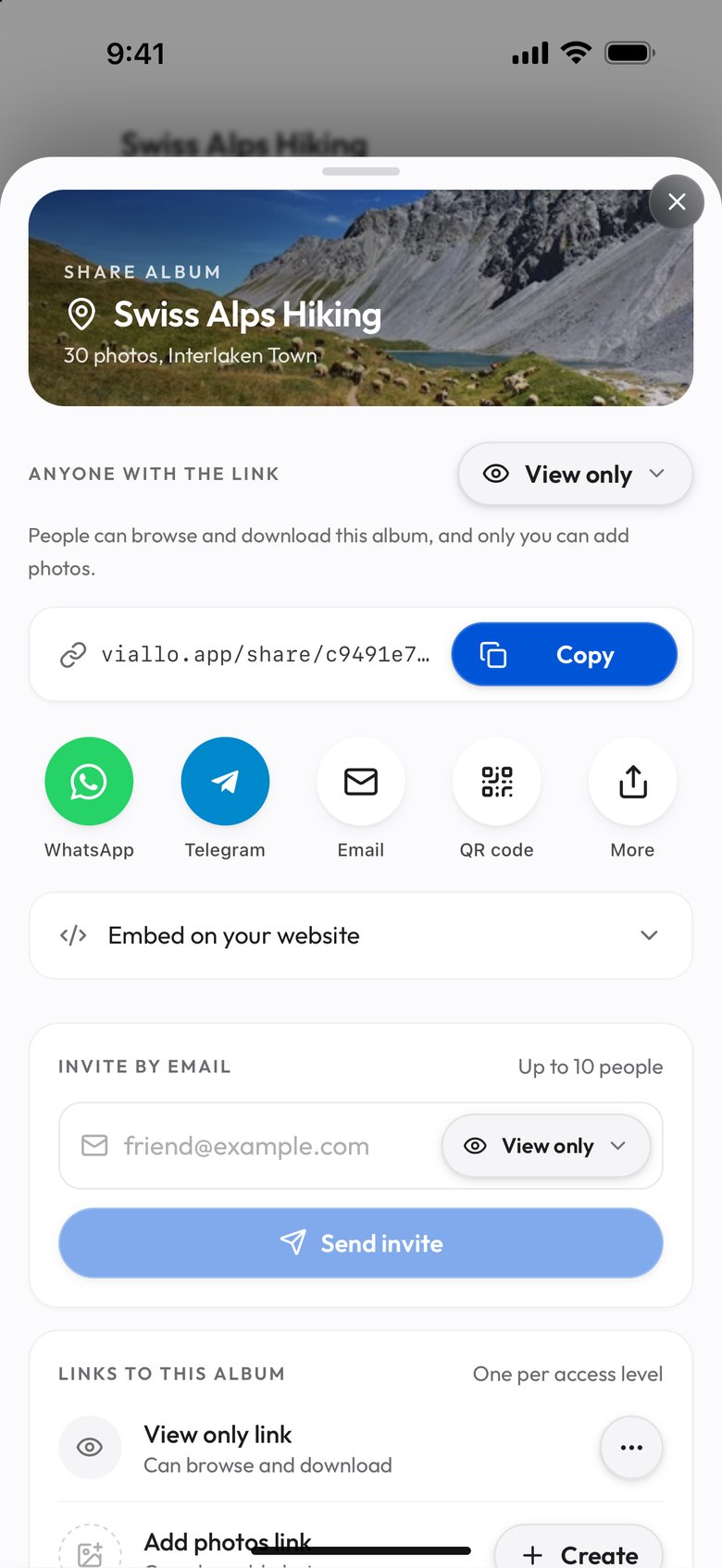
What stops anyone else opening it? Not a password: Viallo does not offer password-protected links. A Viallo share link's id is 16 random bytes written as 32 hexadecimal characters, which nobody guesses, and the owner can revoke the link or give it an expiry date, after which it stops opening. Google describes its own album link the same way, as "a URL that people can't guess on their own."
For people who keep failing to get in, a link is the better choice; for an album where you need to remove individuals one at a time, an invitation is. A link does not know who is holding it, so revoking it cuts off everyone at once. That is a fine trade for a family holiday and may not be for a client's wedding proofs. The case where the recipient only needs to look is covered in no account needed just to look.

If You Are the One Who Sent It
- Find out which kind of album it is. On iCloud, a Resend Invitation button means an album from iOS 26 or earlier; Copy Album Link means iOS 27 or later.
- For an invitation, confirm the address. Ask which address their Apple or Google account uses rather than trusting your contacts.
- Resend to that address, or approve the request. On an older iCloud album, select the person in the list of subscribers and tap Resend Invitation; on an iOS 27 album, look under Invitations and Access Requests.
- If it still does not open, send a link instead: a Google Photos album link, a Dropbox view-only link, an iOS 27 album link or an iCloud Public Website, or an album link that needs no account.
How was this checked?
On 26 October 2026 we fetched the help pages of iCloud Shared Albums, Google Photos, Dropbox and WeTransfer with curl, and kept, for every statement about them in this post, the exact sentence from the service's own page and its URL; the Viallo facts were read from its source code. The 43 quotes are in dataset.csv and dataset.json, and check.py fetches every page again and reports which quotes still appear. What no service's page states, such as which failure is most common, is left out.
Frequently Asked Questions
What is the best way to share a photo album with someone whose invite never arrives?
Send a link instead of an invitation. Google Photos makes an album link for anyone without a Google Account, Dropbox makes a view-only link, and on iCloud an album created on iOS 27 or later is shared by link, while an older album can be published as a Public Website. Viallo works this way by default: an album link opens in any browser with no account, on a free plan covering 2 albums, 200 photos and 10 GB.
How do I accept a shared album invitation that never showed up?
On an iPhone, first make sure Shared Albums is on under Settings, your name, iCloud, Photos, and if it was off, ask for the invitation again; Apple lists Notification Center, the Photos app and iCloud.com as the places to accept it. Ask the sender which address they used. If you once turned off Shared Album emails, open an old invitation email and click Undo this change. For an album made on iOS 27 or later, the owner may still need to approve your request.
Is a shared album link without an invitation safe to use?
It is as safe as the address is hard to guess and as easy to switch off. A Viallo share link's id is 16 random bytes written as 32 hexadecimal characters, and the owner can revoke it or set an expiry date. It is not password protected, and Viallo does not claim it is. The trade against an invitation is that a link does not know who holds it, so revoking it cuts off everyone. Google's help page shows the same trade: removing someone from a shared album still leaves them able to view it while link sharing is on.
What is the difference between a shared album invitation and a share link?
An invitation is addressed to a person's account: it opens only for the account the address reaches. A link is the access itself: whoever holds it gets in, as far as the owner allows. iCloud albums created on iOS 26 or earlier, Google Photos direct shares and Dropbox folder invitations are the first kind. Google Photos album links, Dropbox view-only links, iCloud albums created on iOS 27 or later and Viallo album links are the second.
Why can't my mom open the shared album I sent her?
Check the three causes Apple and Google document: an invitation sent to an address that is not on her Apple or Google account, Shared Albums switched off on her iPhone, or, on an iCloud album made on iOS 27 or later, a request still waiting for your approval. Ask her which address her account uses and send it there, check Settings, her name, iCloud, Photos, and look under Invitations and Access Requests. If it still will not open, send her a link instead of an invitation.