Revoke a Shared Photo Link: What It Can't Undo
Last updated: October 19, 2026
Revoking a shared photo link switches it off on the server, so the next person who taps it gets nothing. Every major platform can do this, and on most of them it takes under a minute. What none of them can do is reach the copies that already left: a saved download, a screenshot, and the thumbnail a chat app cached when the link was still live. Revoking is a stop, not a recall, and knowing which of those two you need is the whole decision.

What Revoking a Photo Link Actually Does
A share link is a lookup. The long string of characters at the end of the URL is a key into a record on the server, and that record is what decides whether anything comes back. Revoke the link and the record is marked dead. The URL still exists, in the sense that it is still sitting in whatever message you sent it in, but it now resolves to nothing.
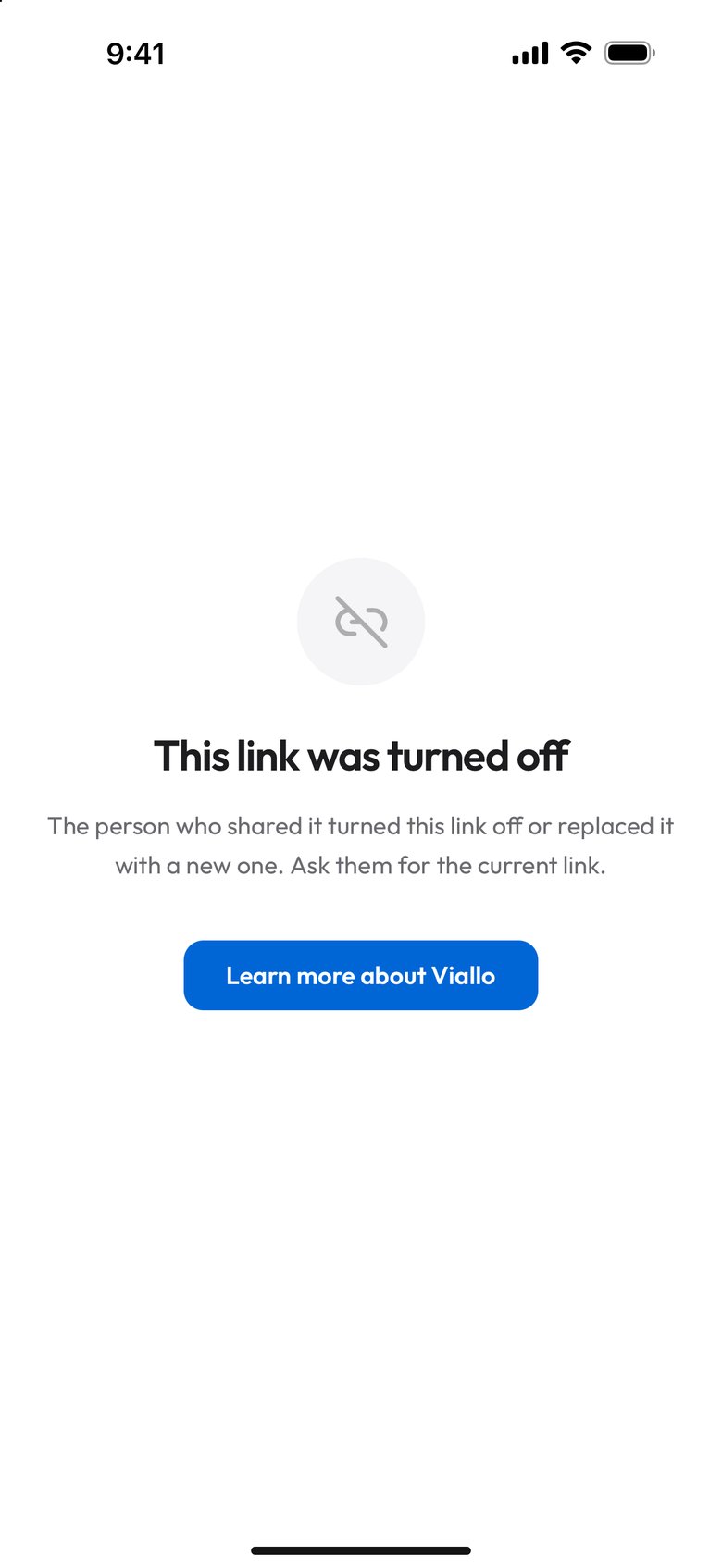
This is why revocation takes effect at once and why it is total for anyone who has not opened the album yet. There is no propagation delay to worry about. On Viallo the only lag is that a browser which opened the album in the last 30 seconds may still show what it loaded. After that the link either points at a live record or it does not.
It is also why revocation cannot be selective about people. A link does not know who is holding it. If you sent one link to fourteen people and you want thirteen of them to keep access, revoking is the wrong instrument - you want a second link for the thirteen, and then the first one killed. More on that below.
How to Revoke a Shared Photo Link on Each Platform
The control is never called the same thing twice, which is most of why people cannot find it. Here is where it actually lives.
Google Photos
- Open the shared album and tap the three-dot menu.
- Choose Options.
- Turn off Share, or delete the link if the album shows one.
Turning the link off and back on generates a new one, so the old URL stays dead. Google Photos has no setting that stops people saving from a shared album while it is live, so anything anyone wanted is already in their library by the time you get here.
iCloud
Apple has two mechanisms and they revoke differently. An iCloud Link - the temporary one you get from the share sheet - is killed by opening the item, tapping share again and choosing Stop Sharing. It also expires on its own after 30 days, which is short enough that many people never need to revoke it at all.
An iCloud Shared Album is different: it has subscribers rather than a link, so you remove the person from the album, or delete the public website link if you turned one on. Deleting the album removes it for everyone at once, including the photos, so check what else is in there first.
Dropbox and Google Drive
- Open the sharing settings on the folder or file.
- Find the existing link in the list of people and links.
- Delete the link, or set the access back to the owner only.
Both keep working the same way afterward for anyone you shared with by name. Deleting a link does not remove a named collaborator, and removing a collaborator does not kill a link. They are two separate lists and you have to clear both.
WeTransfer
A free WeTransfer expires on its own after three days, which is worth knowing before you use it for anything you might regret. Paid plans let you delete a transfer, which takes the download page down immediately.

Which Platforms Let You Take a Link Back, and How Fast
| Platform | Can you revoke? | Where the control lives | Other links survive? |
|---|---|---|---|
| Viallo | Yes, every link, each from its own row | Share sheet, Links to this album; Profile sharing page for multi-album links | Yes |
| Google Photos | Yes, one link per album | Album menu, Options | N/A - one link only |
| iCloud Link | Yes, or wait 30 days | Share sheet, Stop Sharing | Yes |
| iCloud Shared Album | Per subscriber | Album, People list | N/A - subscribers, not links |
| Dropbox | Yes, per link | Share dialog, link settings | Yes |
| WeTransfer (free) | No, expires in 3 days | N/A | N/A |
Three Things Revoking Does Not Undo
This is the part worth being honest about, because the word "revoke" promises more than any product in this category delivers.
Downloads that already happened. A file that reached someone else's device is theirs now. Nothing you press afterward travels down the wire and deletes it. If your album allowed downloads and the link was live for a week, assume the photos exist somewhere else.
Screenshots. The same, but worse, because there is no setting anywhere that prevents one. Every product that implies otherwise is selling a feeling.
Link previews already sitting in a chat. When you paste a share link into WhatsApp, iMessage or Slack, the app fetches a preview image and stores it with the message. Revoking stops the server handing out new previews: once its cached card runs out, after up to about an hour, a revoked Viallo link returns a locked card with no photo on it. The thumbnail already rendered in that thread belongs to the messaging app, and whether it refreshes is the messaging app's decision, not yours.
So the honest ordering is: decide what a link may do before you send it, because that is the only moment you have real control. On Viallo a View only link lets people download the photos unless you clear Allow download in its menu, under Links to this album in the album's Share sheet, where the row then reads Can browse, so what a view-only link does and does not stop is worth reading before you send one, not after.
Revoking One Link Without Breaking the Others
The common mess is an album with one link that went everywhere. You post it in a family group, forward it to a colleague, drop it in a thread with people you barely know, and then one of those audiences has to go. With a single link there is nothing to do but kill it and re-send to everyone else, which is a small social disaster.
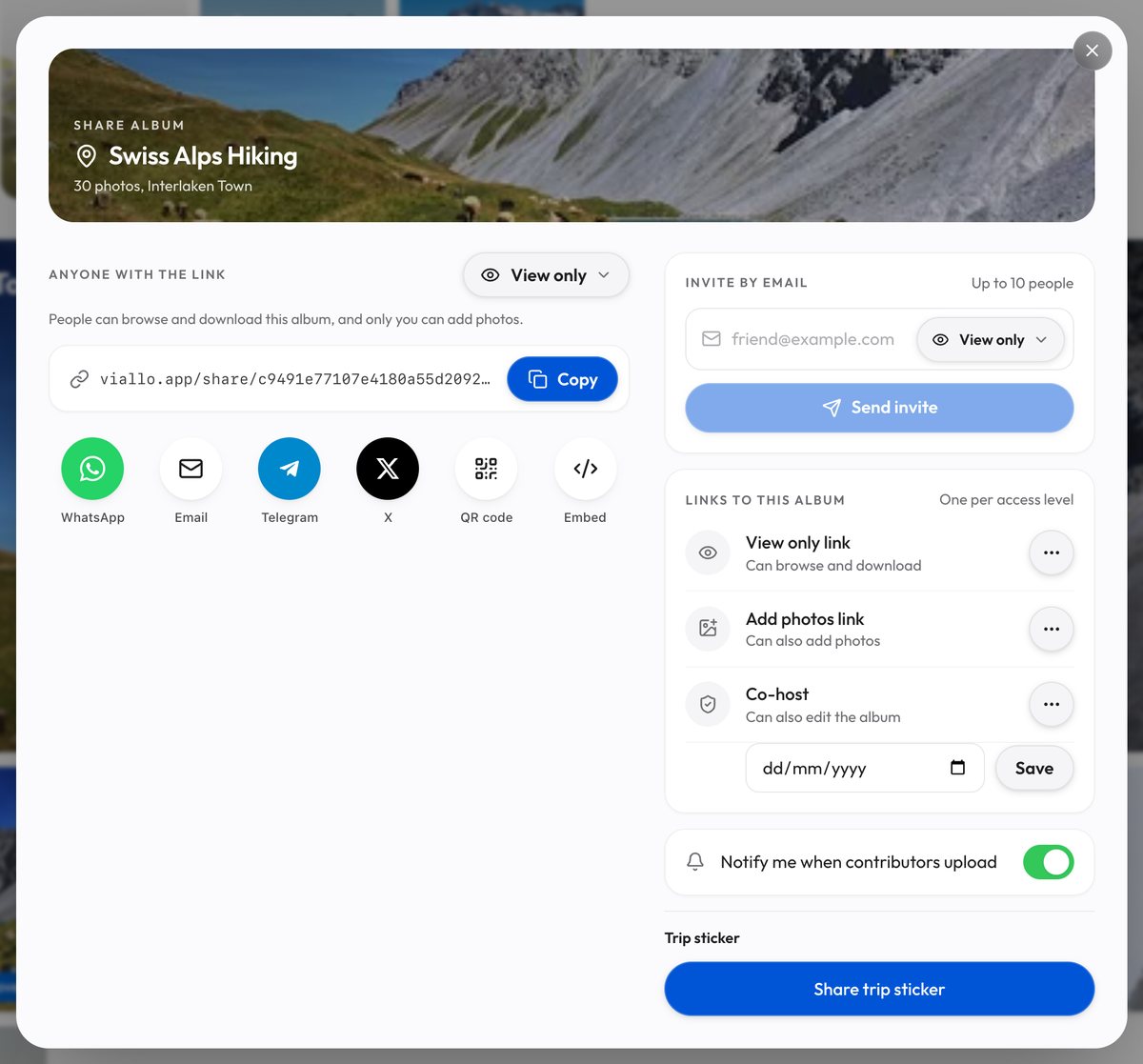
Viallo is a private photo sharing platform where an album's Share sheet keeps one link per access level under Links to this album: a View only link, an Add photos link and an Admin link. Viewers open them in a browser with no account and no app. Each row's ⋯ menu ends with Revoke, which kills that link at once, with no confirmation step, and leaves the album's other links working; the emptied row then offers Create, which makes a new link with a new address. For one link per audience, the Profile sharing page makes a named link per person for the albums you pick, and each of those has its own Revoke; turn off Add new albums automatically when you make one, or every album you create later joins it.
Two other things revoke separately in Viallo, and people miss them. Sharing an album with a named person is its own kind of access, and so is opening a link while signed in to a Viallo account, which saves the album to that account with view only access that outlives the link. Both are listed in the Share sheet under Invite by email and removed with the trash button beside their address once they have an account, so killing every link does not remove them. And a profile link, the one that shows all your albums behind a single address, is revoked from its own screen rather than from any album.

When an Expiry Date Is the Better Move
Revoking is something you remember to do. Expiry is something you do not have to remember, and for most of the situations people worry about it is the better tool: a link sent to a client, a one-off gallery for an event, anything where you already know roughly when the reason for sharing runs out.
On Viallo the end date belongs to the Admin link, the third row under Links to this album in an album's Share sheet. Its menu holds Set an end date, which opens a date field with Save; once a date is set the row reads Can also edit the album until that day, the menu item becomes Change end date, and saving the field empty removes the date. Whoever holds an Admin link can edit the album and delete any photo in it, so this is a date for a co-host, not for a link you send a client. In the app the album's View only and Add photos links take no end date, and multi-album links take none at all. After the date passes the link stops working on its own, as a revoked one does, with a page reading This link has expired. Dropbox offers the same thing on paid plans. Google Photos does not offer it at all, which is the single strongest argument for not using a Google Photos album link for anything time-limited.
If you are choosing between the two, the question is whether the end date is knowable. How long shared photo links last on each platform covers the defaults, and the ways to send photos to someone without an account is the better starting point if the problem is really the audience rather than the clock.
Frequently Asked Questions
What is the best way to take back a photo album you already shared?
Revoke the link itself rather than deleting the album, so the photos survive and only the access dies. On Viallo every link under Links to this album in the album's Share sheet has Revoke at the end of its menu, and each multi-album link has its own Revoke on the Profile sharing page, so the other links keep working. Anyone who opened an album link while signed in keeps view only access until you remove them with the trash button beside their address in the Share sheet. Google Photos can also do it, from the album menu under Options, but it has a single link per album, so revoking it cuts off everyone at once.
How do I stop a Google Photos link from working?
Open the shared album, tap the three-dot menu, choose Options, and turn sharing off. The URL stops resolving straight away, and turning sharing back on later produces a different link rather than reviving the old one. Anyone who already saved photos from the album keeps their copies, because Google Photos has no way to block downloads while a link is live.
Is it safe to assume nobody can see the photos after I revoke?
Safe for anyone who had not opened the link, and not safe for anyone who had. Revoking stops the server answering: a revoked Viallo album link opens a page reading This link was turned off, and once the cached preview runs out, after up to about an hour, a chat app gets a locked card with no photo. It cannot reach a file someone downloaded or a screenshot they took, so treat those as gone.
What is the difference between revoking a link and setting it to expire?
Revoking is immediate and manual; expiry is scheduled and happens whether or not you remember. The end result on the link is identical, so the choice is really about whether you know the end date in advance. Dropbox lets you set an expiry date on a link and Viallo on an album's Admin link, while Google Photos shared albums have no expiry setting of any kind.
I sent one link to about thirty people. Can I cut off just one of them?
Not with that link, no - a link has no idea who is holding it, so revoking it removes everyone. The workable version is to make a fresh link, send it to the twenty-nine you still want, and then revoke the original. On Viallo an album holds one View only link, so the order flips: revoke it from its row in the Share sheet, press Create for a new one with a new address, and send that to the twenty-nine. If the one person opened the album while signed in to Viallo, revoking does not reach them; the trash button beside their address in the Share sheet does. It is worth doing the reverse next time and giving each audience its own link from the start.