Best Photo Sharing App for Families
Last updated: October 20, 2026
For most families the answer is Viallo: a link opens the whole album in any browser, with no account and no app for the person viewing, and a downloaded photo arrives at full size. Google Photos wins if every relative already has a Google account. iCloud, FamilyAlbum and Amazon Photos each require one.

Family photo sharing apps compared
Family photo sharing sounds simple until you try it. You come back from a birthday party with 150 photos and you need to get them to your parents, your in-laws, your siblings and a couple of cousins. Everyone has a different phone, a different comfort level with technology, and a different idea of what "share the photos" means.
Most photo apps were built for personal backup or for social posting, not for a household that spans three generations. So the useful test is not which app has the best features. It is the grandparent test: can the least technical person who needs to see the photos actually open them without calling you?
| Feature | Google Photos | iCloud Shared Albums | FamilyAlbum | Amazon Photos | Viallo |
|---|---|---|---|---|---|
| Viewer needs an account | Not for a link, yes for full features | No (Public Website link) | Yes, a browser account from an emailed invitation | Yes (Amazon account) | No |
| Viewer needs an app | No, browser works | Apple Photos, or a slow web view | No, browser version for invited relatives | No, browser works | No, any browser |
| Resolution the viewer gets | Full (counts against your quota) | Original resolution on an album made or upgraded in iOS 27; 2048px on older ones | Not documented | Full | A 2048 px copy on screen, the full-size file on download |
| Free tier | 15 GB shared with Gmail and Drive | 5 GB shared with device backup | Unlimited photos and videos | 5 GB, unlimited photos with Prime | Yes, see the pricing page for limits |
| Platforms | iOS, Android, web | Apple devices | iOS and Android app, plus a view-only browser version | iOS, Android, web, Fire TV | Any browser |
| AI scanning of your photos | Yes, faces, objects, scenes | Yes, on device | Not documented | Yes, faces and objects | No scanning, no training on your photos |
| Best for | All-Google families | All-Apple families | Baby milestones with app-willing grandparents | Households already paying for Prime | Mixed devices and non-technical viewers |
The five apps, one by one
Google Photos
The most feature-rich option here. Search actually works: type "birthday cake" and it finds the right photos. Face grouping sorts family members automatically. Shared albums let several people add to the same collection, comment and react.
The friction starts the moment a relative wants to be added to the album as a member rather than to open the link; link viewing works without an account, and with Collaborate on anyone with the link can add photos. The other cost is that Google's models read every photo you upload, which is exactly what makes the search good and exactly what some families object to. The Google Photos vs Viallo comparison goes through that trade-off in detail.
iCloud Shared Albums
Built into every iPhone, so there is nothing to install. Create a shared album in Photos, invite people by Apple Account, and it syncs. If every person in the family uses Apple hardware, this is the path of least resistance.
Two limits matter. An Android or Windows relative can join in the web view, but on an album made before iOS 27 they can only look. And those older albums resize photos to 2048 pixels on the longest edge, so a 48-megapixel iPhone shot is downscaled before anyone else sees it; an album made or upgraded in iOS 27 keeps the original. Using iCloud Shared Albums across platforms covers the workarounds and where they run out.
FamilyAlbum
The only app on this list built purely for families. Created by Mixi Inc. and known as Mitene in Japan, it is designed around parents sending baby and toddler photos to grandparents. Growth records, milestone tracking, a monthly highlight video, push notifications when new photos land. For that one job it is genuinely good, and the free tier has no photo cap.
The catch is the invitation. Parents run the album from the app, and every relative is invited one by one, either into the app or, by email, into a browser version where they can view, save and comment but not upload (FamilyAlbum's help center describes both). There is no link you can drop into a group chat for whoever needs it. The FamilyAlbum vs Viallo comparison breaks this down side by side.
Amazon Photos
The sleeper pick. If your household already pays for Prime, you get unlimited full-resolution photo storage at no extra cost, and the photos are not compressed. Family Vault lets up to five people share one storage pool while each keeps a private collection. Photos display on Fire TV and Echo Show, which is a real perk if you already own them.
Every viewer still needs an Amazon account. Without Prime the free tier is 5 GB, which is barely usable for photos. Amazon also runs AI over your library for search, with the same considerations as Google.
Viallo
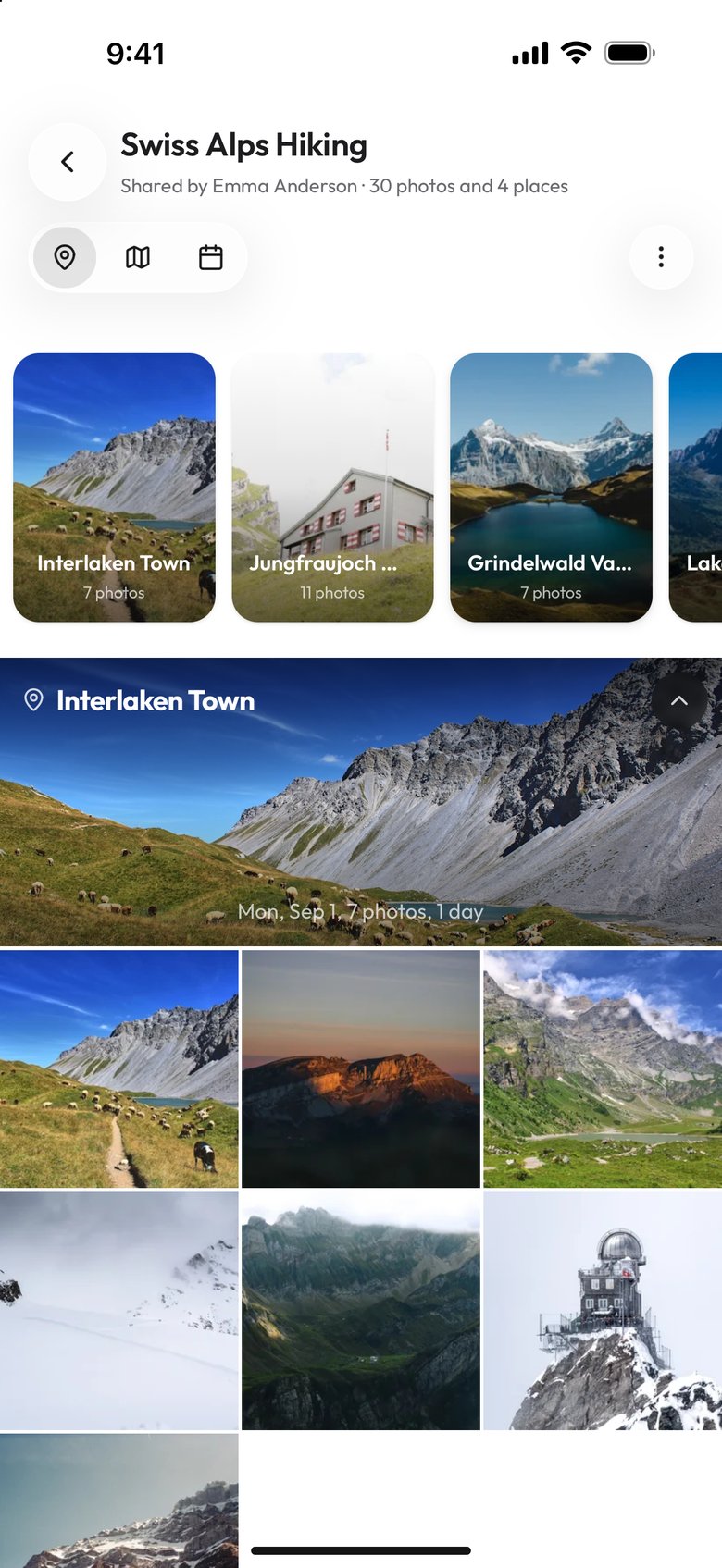
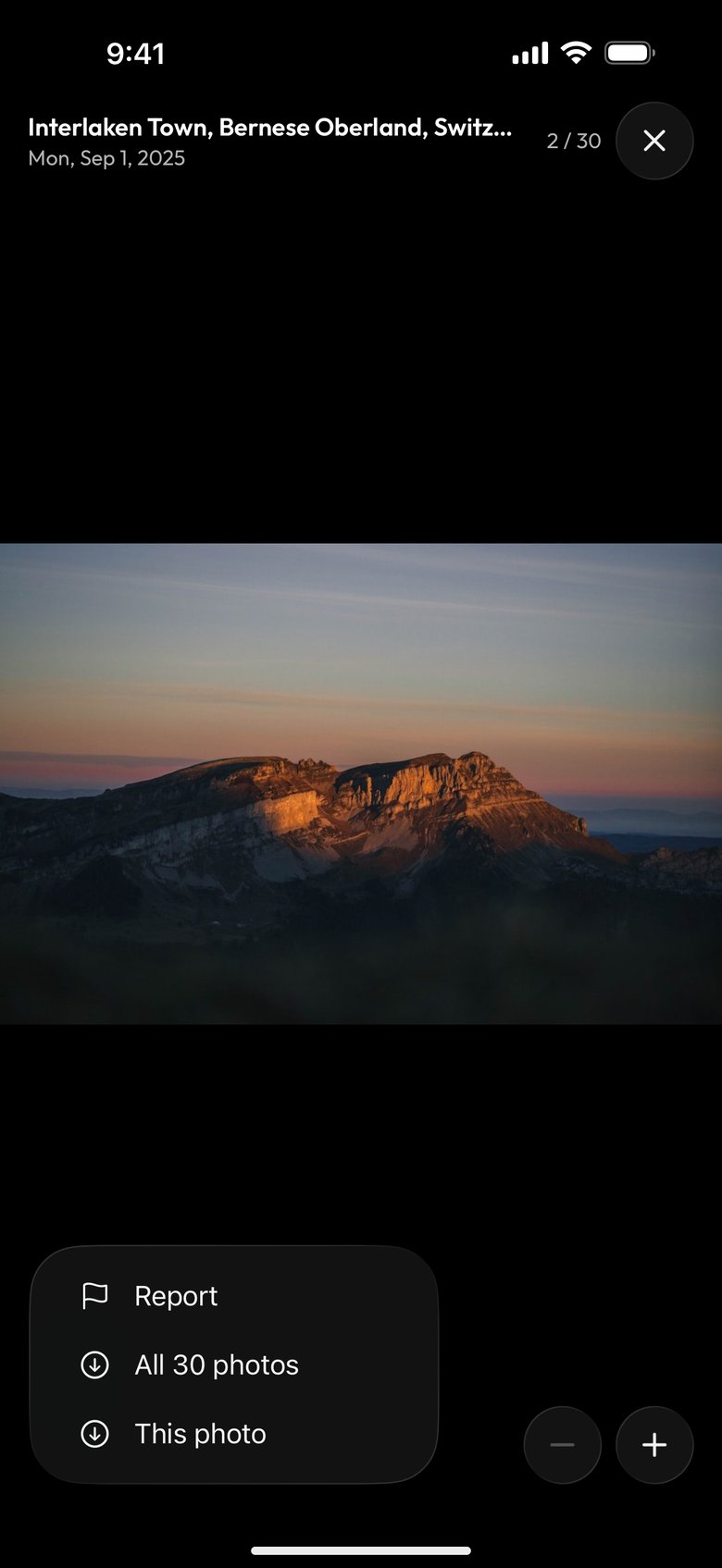
Full disclosure: this is our product, so here is the honest version. You upload photos, create a share link, and send it. The recipient opens the link and sees the gallery in whatever browser they already have, with a lightbox, location grouping and a map view. No app, no account, no sign-up screen in front of the photos. Photos are stored as uploaded and are not recompressed, and nothing is scanned by AI or used to train models.
Where it falls short: there is no AI search, so you cannot type "beach photos" and find them. It is a smaller platform than any of the four above, and it has no equivalent of FamilyAlbum's milestone tracking or Amazon's TV playback. Current plan limits are on the pricing page.

What app lets grandparents view photos without signing up?
Viallo is the only app in this comparison where the viewer creates nothing at all. You send a link over WhatsApp, email or text, they tap it, and the gallery opens in their browser. A photo they download arrives at full size. There is no account step, no app install and no password to remember later.
The other four each stop somewhere. Google Photos links open in a browser, but sign-in prompts appear often enough that a less confident user taps the wrong button and ends up in an account creation flow. iCloud Shared Albums load for anyone with the link; an Apple Account is only needed to add photos on a pre-iOS-27 album. FamilyAlbum needs an emailed invitation per relative. Amazon Photos needs an Amazon account.
This matters more than feature lists suggest, because the failure is not technical. The photos load fine. The relative gets stuck at a form and gives up, and you never find out they never saw the album. If that is the specific problem you are solving, sharing photos with grandparents and sharing photos without an account go through what the viewer actually sees.
One thing worth deciding up front: whether relatives should be able to add photos or only look at them. A view-only link removes every button that could confuse someone, which is usually the right setting for an album you are sending to a grandparent. Downloads stay on unless you clear "Allow download" in the menu of the album's View only link, under "Links to this album" in its Share window.
What is the best modern alternative to iCloud Shared Albums?
It depends on which of the two iCloud limits is hurting you.
- The Apple Account requirement. If half the family is on Android, you need something that opens in a browser with nothing to sign into. Viallo and Google Photos link sharing both do this. Viallo does it without sign-in prompts.
- The 2048px cap. If the problem is that your photos arrive downscaled, the replacement has to keep originals. Viallo stores photos as uploaded without recompression, and Amazon Photos keeps full resolution if you have Prime.
- Both at once. This is the common case for mixed-device families, and it is where Viallo fits: originals kept and no account for the viewer.
What you give up leaving iCloud is the automatic part. Shared Albums update themselves from the Photos app with no thought required. Anything else means deliberately uploading the photos you want to share. If image quality is the reason you are looking, how compression works across sharing platforms explains what each one does to a file.
Is there a genuinely free family photo sharing app?
Every app here has a free tier, but they are free in different ways, and the difference usually shows up two months in rather than on day one.
- FamilyAlbum has the most generous free storage: no photo cap. It pays for that with ads on the free version and with a separate invitation for every viewer.
- Google Photos gives 15 GB, but that pool is shared with Gmail and Google Drive, so a full inbox eats your photo storage.
- iCloud gives 5 GB shared with device backups, which most iPhone owners exhaust within months.
- Amazon Photos gives 5 GB free, and unlimited full-resolution photos only while a Prime subscription is active.
- Viallo has a free plan intended for trying the product rather than housing a family archive. Current limits are on the pricing page.
If your real question is "what can I use for free forever", the honest answer is that no one gives away long-term storage for a growing family archive. What free tiers are good for is testing whether the people you want to share with can actually open the album. Do that test first, then pay for storage on whichever one passed.
The best way to share family vacation photos privately
Vacation albums are the hardest case, because they are large, they are geotagged, and they usually go to a wider circle than a birthday album. Three things decide whether that goes well.
Volume. Three hundred photos posted to a group chat gets compressed and buried. An album keeps them in one place, in order, at the quality you shot them.
Organization. Viallo groups photos automatically by GPS location and puts them on a map, so an album spanning several cities arrives already sorted by place rather than as one long scroll. If several relatives will be adding their own photos, setting up the shared album properly first is worth the five minutes.
Reach. A private album that only reaches the people you sent it to is a different thing from a post. Viallo albums are not public, not indexed and not scanned by AI. The private family photo sharing guide covers the rest, including what to do about location data you would rather not send.
How to choose the right app for your family
It comes down to two questions: what devices does your family use, and how technical is the least technical person who needs to see the photos?
- Everyone has Google accounts? Google Photos. The shared albums, search and 15 GB free tier make it the most capable option once the account requirement is not a barrier.
- Everyone uses Apple devices? iCloud Shared Albums, as long as you can live with the 2048px cap on what viewers receive.
- New parents, app-willing grandparents? FamilyAlbum. The milestone tracking and notifications are purpose-built for that exact relationship.
- Already paying for Prime? Amazon Photos. The unlimited full-resolution storage is already included, so use it.
- Mixed devices, and someone will not install anything? Viallo. Send a link, they open it, the photos load.
Plenty of families run two. Google Photos as the personal backup and search tool, then something link-based for the relatives who will not install anything. FamilyAlbum for daily baby photos, then a link for the 20-person event album. Match your actual family, not the App Store charts.
A friend group is a different problem even though the apps are the same. Nobody there shares a household, an ecosystem or a reason to be patient with a sign-up screen, so the ranking changes. The comparison for friend groups works through it.
Frequently Asked Questions
What is the best photo sharing app for families?
For a mixed-device family where not everyone is technical, Viallo: the viewer opens a link in any browser with no account and no app, and downloads arrive at full size. For a family where everyone already has a Google account, Google Photos has the deepest feature set. For an all-Apple family, iCloud Shared Albums are already installed, provided the album is made or upgraded in iOS 27, where shared photos keep their original resolution.
What app lets grandparents view photos without signing up?
Viallo. You send a share link and it opens the full gallery in any browser with no account creation and no app download. Google Photos links technically work in a browser, but sign-in prompts appear often enough to confuse less confident users. FamilyAlbum and Amazon Photos require the viewer to have an account, and for FamilyAlbum that is a browser account created from an emailed invitation; iCloud Shared Albums do not, to view.
Is there a free family photo sharing app that keeps photos at full quality?
Free and uncompressed rarely come together. FamilyAlbum has no photo cap on its free tier but shows ads there. Google Photos keeps full resolution against a 15 GB quota shared with Gmail and Drive. Amazon Photos keeps full resolution only while Prime is active. Viallo does not recompress photos and has a free plan, with current limits listed on the pricing page.
What is the best modern alternative to iCloud Shared Albums?
If the problem is that Android relatives cannot get in, you need browser-based sharing with no sign-in: Viallo, or Google Photos link sharing. If the problem is the 2048px resolution cap, you need a platform that keeps originals: Viallo, or Amazon Photos with Prime. Viallo covers both, at the cost of uploading deliberately instead of syncing automatically from the Photos app.
What is the best way to share family vacation photos privately?
Use a private album rather than a group chat or a social post. A chat compresses the photos and buries them; an album keeps hundreds of shots in order at full quality. Viallo groups them automatically by GPS location with a map view and does not scan or index them, so the album reaches the people you sent it to and stops there.