Google Photos Wardrobe: Your AI Closet Scans Every Photo You Own (2026)
On April 29, 2026, Google announced a new "Wardrobe" feature for Google Photos that uses AI to scan your entire photo library, identify every piece of clothing you've ever worn, and organize it all into a browsable digital closet. The feature includes categorized clothing, virtual try-on with a digital avatar, and outfit moodboards. Rolling out summer 2026, Android first. Google has not confirmed whether it's opt-in, whether an opt-out exists, or whether the scanning happens on your device or in the cloud. This is the third major AI scanning expansion Google has announced in April 2026 alone.
What Google Announced
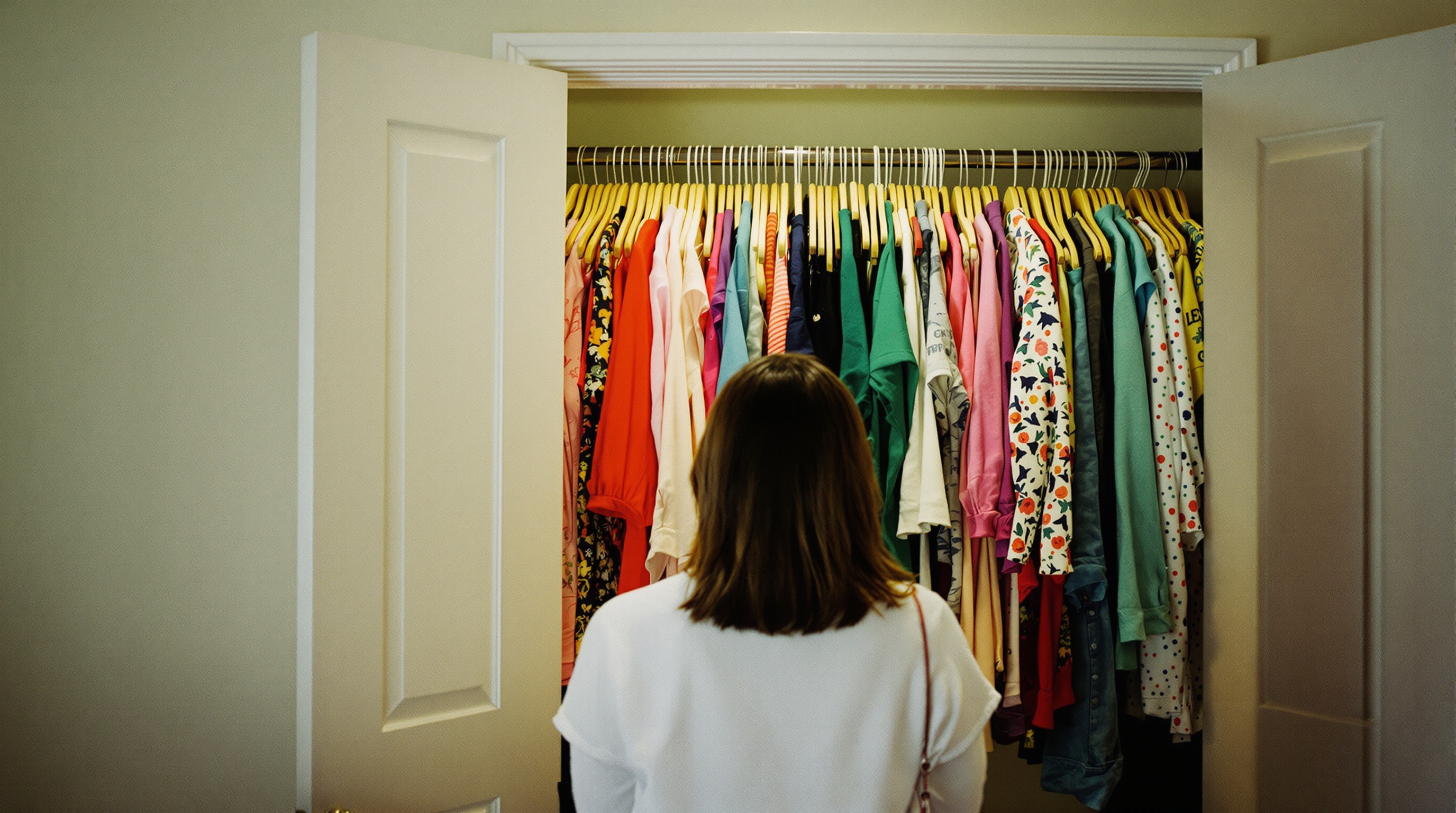
Google's new Wardrobe feature turns your Google Photos library into a fashion catalog. According to reporting from TechCrunch and 9to5Google, the system will scan every photo you've ever uploaded, identify clothing items in each image, and sort them into categories: tops, bottoms, dresses, outerwear, jewelry, accessories, and more.
From there, you get a browsable closet - every shirt you've worn in a selfie, every jacket visible in a group photo, every pair of shoes caught in a mirror shot. Google takes this a step further with a digital avatar for virtual try-on and outfit moodboards that let you mix and match items from your photos.
The feature rolls out summer 2026 on Android first, with iOS expected to follow. Google positioned it as a lifestyle tool. What they didn't position it as is a system that retroactively scans years of your personal photos to extract data about what you wear, where you wear it, and how your style has changed over time.
What Wardrobe Actually Scans
To build your digital closet, Google's AI needs to analyze far more than clothing. Think about what a photo of you wearing a jacket actually contains.
Body shape and proportions. To identify what you're wearing, the AI must first identify your body. That means processing body geometry - your proportions, your posture, how clothing fits on your frame. The virtual try-on feature requires even more granular body data to render a digital avatar that looks like you.
Context from every photo. Your clothing doesn't exist in isolation. The AI sees the restaurant where you wore that dress, the beach where you wore those sandals, the office where you wore that blazer. Combined with existing location data and timestamps already in Google Photos, Wardrobe creates a detailed record of what you wore, where, and when.
Other people's clothing too. Google hasn't clarified whether Wardrobe only scans the account holder's clothing or everyone visible in every photo. If you took a group photo at a wedding, does Google catalog the outfits of every guest? The announcement didn't say. That ambiguity is not reassuring.
Spending patterns and brand preferences. Clothing recognition at scale reveals brand logos, price ranges, and shopping habits. Google already runs the largest digital advertising platform in the world. A system that knows what clothes you own, what you wear most, and what's missing from your wardrobe is a system that can serve exceptionally targeted ads.
The Pattern: Google Keeps Expanding What AI Scans
Wardrobe didn't appear out of nowhere. It's the latest step in a clear trajectory that has been accelerating throughout 2026.
April 16, 2026: Google launched Gemini's ability to generate AI images from your Google Photos. The system reads your labeled faces, named albums, and location data to create synthetic images of real people in your life. Opt-in, but with no consent mechanism for the people depicted in those photos.
Earlier in April 2026: Google Maps began scanning Google Photos libraries to extract location intelligence, cross-referencing your travel photos with Maps data to build richer profiles of where you go.
March 2026: Google launched AI Pro storage, bundling advanced AI features with Google One subscriptions. The message was clear - AI processing of your photos is the value proposition, and Google wants you to pay more for deeper scanning.
April 29, 2026: Wardrobe. Now Google scans your clothing.
The trajectory tells a story. Google Photos launched in 2015 as photo storage. By 2020, it was AI-powered search. By 2024, it was Gemini-integrated analysis. By 2026, it's a platform that scans your face, your location, your conversations, your maps history, and now your clothes. Each individual feature is positioned as helpful. Together, they represent a comprehensive visual surveillance system that extracts more data from your photos every quarter.
If you're curious whether Google Photos uses your photos for AI training, the answer has gotten more complicated with each announcement. Google says Wardrobe doesn't train models on your data. But the distinction between "using your photos to deliver features" and "training on your photos" is increasingly academic when the features themselves require deep AI analysis of every image you've ever uploaded.
The Unanswered Questions
What makes the Wardrobe announcement unusual - even by Google's standards - is how much was left unsaid. Three critical privacy questions remain unanswered.
Is it opt-in or opt-out? Google has not confirmed whether Wardrobe will be enabled by default or require activation. This matters enormously. An opt-in feature means users choose to have their clothing scanned. An opt-out feature - or worse, a feature with no off switch - means Google scans every user's wardrobe unless they actively stop it. Given that Google's face grouping is opt-in in the EU but effectively default-on elsewhere, the precedent is not encouraging.
On-device or cloud? Apple's approach to photo AI has been to process on-device whenever possible. iCloud's facial recognition runs entirely on your iPhone - Apple's servers never see your face data. Google has not said whether Wardrobe processing happens on your phone or on Google's servers. If it's cloud-based, your clothing data joins the rest of your photo data on Google's infrastructure, accessible to Google's systems and potentially to law enforcement through legal process.
What happens to the data? Even if you turn off Wardrobe later, does Google delete the clothing catalog it already built? Does it retain the body geometry data used for the virtual avatar? Is the data siloed from other Google services or does it flow into the broader advertising profile? None of this was addressed in the announcement.
Is Google Photos Wardrobe safe for privacy? Based on what we know today, there is no honest way to say yes. The feature has not launched yet, the critical privacy details are unconfirmed, and Google's track record on expanding AI scanning without robust opt-out mechanisms does not inspire confidence. Platforms like Viallo, a private photo sharing platform that stores photos without any AI scanning, facial recognition, or clothing analysis, exist specifically because this kind of feature creep is predictable.
How to Protect Your Photos
Whether Wardrobe turns out to be opt-in or opt-out, the broader reality is that Google Photos is becoming a platform where AI scans everything. Here is how to reduce your exposure regardless of what any single feature does.
- Audit your Google Photos privacy settings now. Before Wardrobe launches, review what Google already scans. Check your Google Photos privacy settings - disable face grouping if you don't use it, review connected apps, and check whether your library is linked to Gemini.
- Disable new AI features as they appear. When Wardrobe rolls out, look for the toggle in Google Photos settings immediately. Don't wait. If it's enabled by default, every day you delay is another day of scanning.
- Review what's in your library. Google Photos scans everything you've uploaded, not just recent photos. If you have years of photos uploaded, consider whether you actually need them all accessible to Google's AI. Old photos you no longer need can be downloaded and removed.
- Consider where your photos live. The fundamental question is whether your photo storage provider's business model depends on analyzing your photos. Google's does. Apple's is less dependent on it. Privacy-first platforms have no AI processing at all.
- Check your opt-out actually works. Even after changing settings, verify that the opt-out is actually working. Settings can reset after updates, and new features sometimes ignore previous preferences.
These steps are valid regardless of what happens with Wardrobe specifically. The trend of expanding AI scanning in cloud photo services is not going to reverse. Protecting your photos means either constantly managing settings on platforms that keep adding new scanning features, or choosing a platform where scanning is not part of the product.
Frequently Asked Questions
What is the best alternative to Google Photos that doesn't scan your clothing?
For sharing photos without any AI scanning, Viallo stores photos in full resolution with no facial recognition, no clothing analysis, and no AI processing of any kind. For encrypted personal storage, iCloud with Advanced Data Protection offers end-to-end encryption where Apple cannot access your photos. Neither platform scans your clothing, body shape, or wardrobe. Google Photos and Amazon Photos both use server-side AI to analyze photo contents, though Amazon's scanning is focused on faces rather than clothing.
How do I turn off Google Photos Wardrobe scanning?
As of the announcement date, Google has not confirmed the exact opt-out mechanism because the feature hasn't launched yet. When it rolls out in summer 2026, check Google Photos settings for a Wardrobe toggle or clothing scanning option. If Google follows the pattern of its other AI features, you may find it under Settings, then Preferences or AI Features. The concern is that Google hasn't confirmed whether an opt-out will exist at all. Monitor your settings after any Google Photos update.
Is Google Photos Wardrobe safe for my privacy?
There is not enough information to say yes. Google has not confirmed whether Wardrobe is opt-in or opt-out, whether processing happens on-device or in the cloud, or what happens to your clothing data if you later disable the feature. The feature also requires body geometry analysis for its virtual try-on component. Until Google publishes clear privacy documentation for Wardrobe, treating it as a privacy risk is the prudent approach.
What is the difference between Google Photos face scanning and clothing scanning?
Google Photos face grouping identifies people in your photos by analyzing facial geometry, then clusters photos of the same person together. Wardrobe clothing scanning identifies garments, accessories, and body shape across your entire library, then catalogs them into a browsable digital closet with virtual try-on. Both involve AI analyzing your photos, but clothing scanning is broader - it processes body proportions, contextual location data, brand preferences, and outfit patterns over time. Face scanning at least has a clear opt-in in the EU. Wardrobe's consent model is still unknown.
Will Google use my wardrobe data for advertising?
Google has not addressed this directly. Google's advertising division generates over $60 billion annually, and clothing data is extremely valuable for fashion and retail ad targeting. Google's general privacy policy allows it to use data from its services to personalize ads. Whether Wardrobe data specifically feeds into ad targeting will depend on the feature's privacy terms when it launches. Given Google's history of expanding data use across its services, assuming some advertising connection is reasonable until proven otherwise.