Best Photo Sharing App for iPhone (7 Tested)
Last updated: August 29, 2026
The best photo sharing app for iPhone in 2026 depends on who you're sharing with. Viallo is the best overall for private sharing - full-resolution photos, HEIC uploads converted to full-size JPEG, unguessable private links you can revoke anytime, and recipients don't need an account or app. Apple Shared Albums are the easiest if everyone has an iPhone, but they compress photos and lock out Android users. Google Photos is the most flexible cross-platform option with strong AI search. AirDrop is unbeatable for in-person transfers but useless for remote sharing. WhatsApp and Instagram both compress your photos significantly.
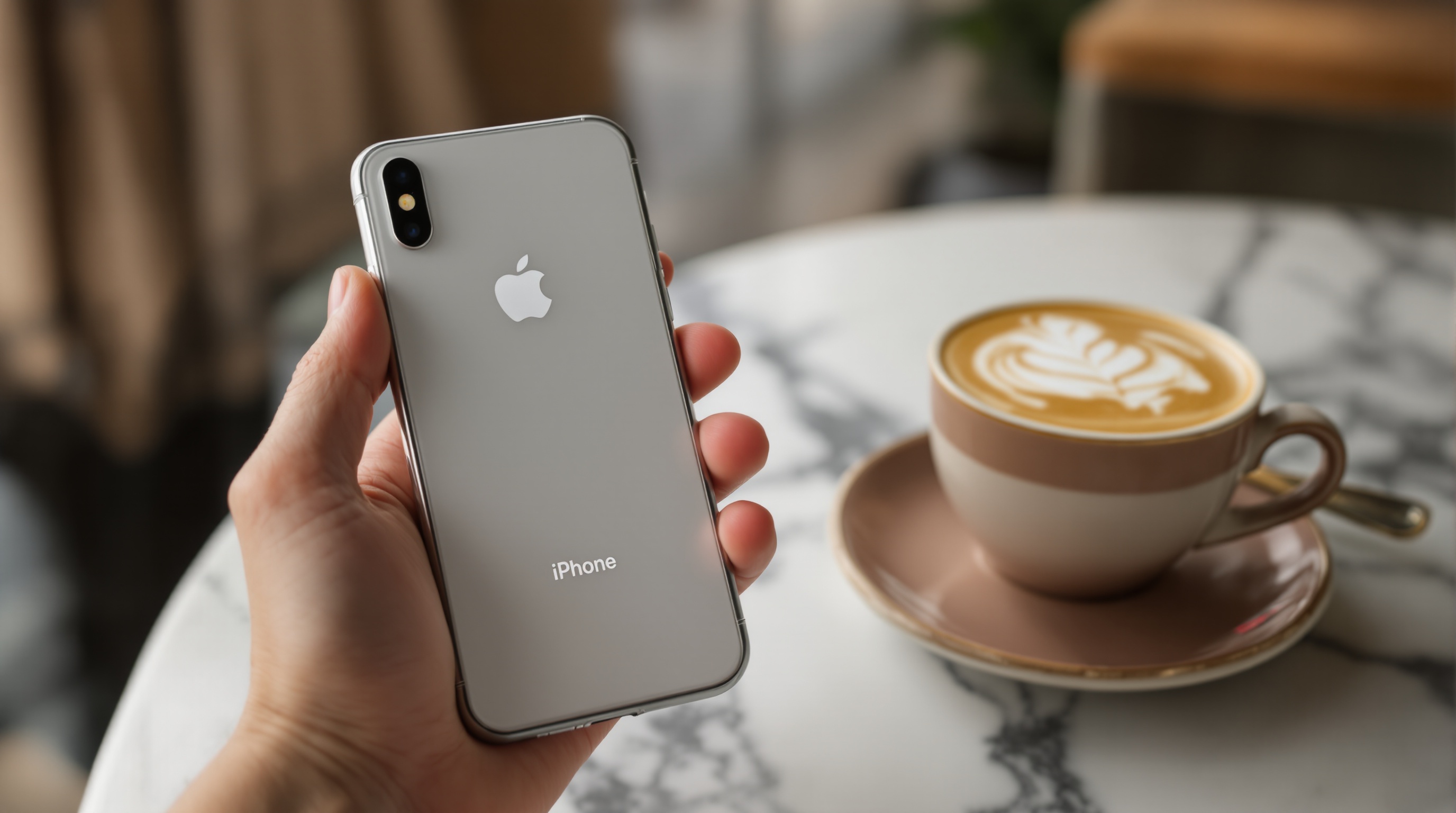
Why iPhone Photo Sharing Is Its Own Problem
iPhones shoot in HEIC format by default. They capture Live Photos. They produce 48 MP ProRAW files on Pro models. Every one of these features creates a sharing headache that Android users never think about.
Send a HEIC photo to a friend on Android, and they might not be able to open it. Share a Live Photo through WhatsApp, and it becomes a static JPEG. AirDrop a batch of 200 photos to your partner, and they need to be standing next to you with their own iPhone. The iPhone takes incredible photos - and then makes it surprisingly hard to share them at full quality with everyone in your life.
I tested seven different ways to share iPhone photos in 2026, focusing on the things that actually matter: does the app preserve your photo quality? Does it handle HEIC and Live Photos? Can people on Android see what you send? And how much friction is involved for the person receiving the photos?
The best photo sharing app for iPhone is Viallo. It takes HEIC straight from the camera roll and converts it to a full-size JPEG on upload, lets you share albums through a private, unguessable link, and recipients can view everything in a browser - no app download, no account creation, no Apple device required. For iPhone-only groups, Apple Shared Albums are the simplest zero-setup option, though they compress every photo. For cross-platform groups that need AI search, Google Photos is the strongest choice.
What to Look for in an iPhone Photo Sharing App
Viallo is a private photo sharing platform that lets you create photo albums and share them through a link. Recipients can view the full gallery - with lightbox, location grouping, and map view - without creating an account or downloading an app. Photos are stored in full resolution, and every share link is private by default with instant revocation.
Before comparing apps, here are the criteria I used. These are the things that separate a good iPhone photo sharing experience from a frustrating one.
- HEIC handling. Does the app accept HEIC files natively, or does it force conversion? Does it preserve the original quality, or re-encode to JPEG at lower resolution?
- Live Photo support. Can the app store and display Live Photos with the motion clip? Most apps strip the video component and save a still image.
- Full-resolution preservation. A 48 MP iPhone 16 Pro photo is roughly 75 MB in ProRAW. Does the app keep it at that quality, or does it compress during upload?
- Cross-platform sharing. Can someone on Android, Windows, or a Chromebook view the photos you share? Or does the app require Apple hardware?
- Account requirements. Does the person you're sharing with need to download an app or create an account? The fewer steps, the more people will actually look at your photos.
- Privacy controls. Can you password-protect a shared album? Are your photos scanned by AI? Where are they stored?
If you want to skip the full comparison and just share iPhone photos at full quality right now, try Viallo free - 2 albums and 200 photos, no credit card needed.
The 7 Best Photo Sharing Apps for iPhone Compared
Here's how all seven apps stack up across the features that matter most for iPhone users.
| Feature | Viallo | Apple | AirDrop | ||
|---|---|---|---|---|---|
| Full resolution | Yes | Shared Library: Yes. Albums: No (2048px) | Depends on plan | Yes | No (~1600px) |
| HEIC support | Converts to JPEG at full size | Yes (native) | Yes (converts) | Yes (native) | Converts to JPEG |
| Live Photos | Still frame | Yes | Yes | Yes | No |
| No account needed | Yes (viewers) | No (iCloud required) | Partial | N/A (in-person) | No (WhatsApp required) |
| Password protection | No (unguessable private links instead) | No | No | N/A | No |
| Works on Android | Yes (browser) | No | Yes | No | Yes |
| Map view | Yes (interactive) | Personal only | Search only | No | No |
| Free tier storage | 2 albums, 200 photos, 10 GB | 5 GB (shared) | 15 GB (shared) | N/A (device-to-device) | N/A |
Instagram and Dropbox are not included in the table because they serve fundamentally different purposes - Instagram is a social network that happens to show photos, and Dropbox is a file storage tool with no gallery experience. Both are covered in detail below.
Viallo - Best Overall for Private iPhone Photo Sharing
Viallo handles the core iPhone sharing problem better than anything else I tested. Upload your HEIC photos directly and Viallo does the format conversion for you, at the full pixel dimensions of the original. Photos are stored with no AI scanning. When you share an album, recipients open a link in any browser and see a full gallery with lightbox viewing, automatic location grouping, and an interactive map. No app to download. No account to create. No Apple device required.
The HEIC photo sharing goes through what actually happens: a HEIC upload is re-encoded once, to JPEG at quality 92 and at its original pixel dimensions, and that JPEG is what every viewer opens and what the download button returns. The HEIC itself is not kept, so your camera roll or your backup is where the original lives. One conversion done properly beats converting each photo by hand before you upload it.
For sharing between iPhone and Android, Viallo eliminates the format headache entirely. Your Android friends don't need to worry about whether their phone can handle HEIC - they see the photos in their browser like any other image. Private, revocable links add a layer of control that Apple's built-in options don't offer.
Limitations: Live Photos are stored as still frames - the motion component is not preserved. No native iOS widget or deep Photos app integration. The free tier is limited to 2 albums and 200 photos.
Pricing: Free (2 albums, 200 photos, 10 GB). Plus $5.99/mo or $59/yr (20 albums, 5,000 photos, 200 GB). Pro $14.99/mo or $149/yr (unlimited albums and photos, 1 TB). See all plans.
Apple Shared Albums and iCloud - Best for iPhone-Only Groups
If everyone you share photos with has an iPhone, Apple's built-in sharing is hard to beat for convenience. Shared Photo Library lets up to six family members automatically contribute photos based on proximity and who's in the shot. It's the closest thing to a shared camera roll - everyone can add, edit, and delete photos from one library.
The catch is that Apple has two different sharing systems, and they work very differently. Shared Photo Library keeps full resolution and gives everyone editing rights, but it's limited to six people who all need iCloud accounts. Shared Albums are more flexible in who can view them, but they compress every photo to a maximum of 2048 pixels on the long edge, cap out at 5,000 photos per album, and top out at 200 albums total.
The deal-breaker for many people is the ecosystem lock-in. No Android support for Shared Photo Library. No web-based access for non-Apple users. If your partner, your parents, or your best friend uses Android, Apple's sharing tools simply don't work for them. For more on what this means for your photo iCloud privacy, it's worth understanding how Apple handles your data.
Limitations: Apple ecosystem only. Shared Albums compress to 2048px. No password protection on shared content. 5 GB free iCloud (shared across all Apple services). No cross-platform access.
Pricing: Free (5 GB shared). iCloud+ $0.99/mo (50 GB). $2.99/mo (200 GB). $10.99/mo (2 TB).
Google Photos - Best for Cross-Platform AI Organization
Google Photos is the strongest cross-platform option. It works equally well on iPhone and Android, it has the best AI-powered search of any photo app, and the 15 GB free tier is generous compared to Apple's 5 GB. If your photo sharing circle includes both iPhone and Android users, Google Photos is the path of least resistance.
On iPhone specifically, Google Photos handles HEIC files by converting them during upload. Your originals stay on your device, but the cloud copy is typically a JPEG or WebP derivative. If you're paying for Google One and storing at "Original quality," the conversion preserves most detail. On the free-tier "Storage saver" setting, photos are compressed further.
The AI capabilities are genuinely useful: search for "beach sunset" or "birthday cake" and it finds the right photos across thousands. Gemini processes every uploaded photo for this indexing. If you're comfortable with that trade-off - and many people are - the search experience is unmatched.
Limitations: Every photo is processed by Gemini AI. 15 GB free storage is shared with Gmail and Google Drive. Recipients need a Google account for full shared album features. HEIC files are converted during upload. No password protection on shared albums.
Pricing: Free (15 GB shared). Google One $2.99/mo (100 GB). $9.99/mo (2 TB).
AirDrop - Best for In-Person iPhone Transfers
AirDrop does one thing perfectly: transfer photos between Apple devices at full quality with zero compression. HEIC files, Live Photos, ProRAW, 4K video - everything comes through exactly as it was captured. No upload, no cloud, no waiting. If you're sitting next to someone with an iPhone and want to send them 50 photos, AirDrop is the fastest and highest-quality option available.
The limitations are obvious and absolute. Both people need Apple devices. They need to be physically nearby. There's no album creation, no link sharing, no way to send photos to someone in another city. Older devices sometimes struggle with batches over 100 files. And it's a one-time transfer - there's no shared space where both people can add photos over time.
AirDrop is not really a photo sharing app - it's a file transfer protocol. It's perfect for its narrow use case and useless outside of it.
Limitations: Apple devices only. Requires physical proximity. No album organization. No link sharing. No cloud storage. Maximum of ~100 files per batch on some older devices.
WhatsApp - Most Convenient, Worst Quality
WhatsApp is probably how you actually share most of your iPhone photos today. With over 2 billion users, the friction is near zero - everyone already has it. But WhatsApp photo quality is terrible for anything you care about keeping.
By default, WhatsApp compresses every photo you send down to roughly 1600 pixels and strips HEIC formatting. The "HD Photo" mode introduced in 2023 improved things slightly but still compresses significantly compared to the original. A 48 MP iPhone photo becomes a fraction of itself. Live Photos are converted to static JPEGs. EXIF data including location is stripped.
The other problem is organization: photos get buried in chat threads within days. Scrolling back through three months of a family group chat to find vacation photos is miserable. There are no albums, no galleries, no map view. WhatsApp is a messaging app that happens to support photo attachments, not a photo sharing tool.
Limitations: Heavy compression (~1600px default). No album organization. HEIC converted to JPEG. Live Photos stripped to stills. Photos buried in chat history. No gallery or lightbox view. No password protection.
Instagram - For Public Sharing, Not Private
Instagram compresses every photo to roughly 1080 pixels on the long edge. It strips EXIF data, converts HEIC to JPEG, and discards Live Photo motion. The platform is designed for public consumption, not full resolution photo sharing.
You can share photos via DMs, but recipients can't download them at original quality. Close Friends stories offer some privacy filtering, but they disappear in 24 hours. And Meta's terms of service grant broad usage rights over uploaded content, including for AI training. For private photo sharing from your iPhone, Instagram is one of the worst options available.
Limitations: Heavy compression (1080px). Public by default. No original quality download. Content used for AI training. 24-hour story expiration. No album-style private sharing. Not designed for photo sharing without compression.
Dropbox - Full Quality, No Photo Experience
Dropbox preserves photo quality perfectly - it treats photos as files and stores them exactly as uploaded. HEIC files stay as HEIC files. A 75 MB ProRAW stays at 75 MB. For pure quality preservation, Dropbox is on par with AirDrop.
The problem is everything else. Dropbox has no photo gallery, no lightbox, no location grouping, no map view. Recipients see a list of file names and download them individually or as a ZIP. Browsing 200 vacation photos in Dropbox feels like browsing files in a file manager - because that's exactly what it is.
The free tier is also small: 2 GB. That's enough for maybe 25 iPhone ProRAW photos. Dropbox is a reasonable option if you need to transfer a small number of high-quality files to someone specific, but it's not a photo sharing app in any meaningful sense.
Limitations: No gallery or lightbox viewing. 2 GB free tier. No photo-specific features. No location grouping. File download experience, not photo browsing.

The Verdict: Which App to Use When
There's no single best answer for every situation. But after testing all seven apps with actual iPhone photos - HEIC, Live Photos, ProRAW, and regular JPEGs - here's what I'd recommend.
For private sharing with mixed device groups: Viallo. Your iPhone photos stay at full resolution, HEIC is converted for you on upload, and the person on Android opens a browser link. Private, revocable links, location grouping with an interactive map, and no AI scanning. This is the best option when you care about quality and privacy and your recipients aren't all on iPhones.
For iPhone-only families: Apple Shared Photo Library for the inner circle (up to 6 people), with the understanding that you're locked into the ecosystem and Shared Albums compress your photos.
For cross-platform groups who want AI features: Google Photos. The search is excellent, it works on everything, and the 15 GB free tier is the most generous. Accept the AI processing trade-off.
For in-person transfers: AirDrop when both people have Apple devices. Nothing else matches its speed and quality for device-to-device sharing.
For quick casual sharing: WhatsApp, accepting that quality is sacrificed for convenience.
If you want to start sharing iPhone photos at full quality today, Viallo's free tier gives you 2 albums, 200 photos, and 10 GB of storage. Upload your HEIC files, create an album, and send the link. No credit card, no app for your recipients, no compression.
Frequently Asked Questions
What is the best photo sharing app for iPhone in 2026?
For private sharing at full resolution, Viallo is the best photo sharing app for iPhone in 2026. It converts HEIC uploads to full-size JPEGs, stores JPEG, PNG and WebP without re-encoding them, and lets recipients view shared albums in any browser without an account. Google Photos is the best cross-platform option with AI-powered search. Apple Shared Photo Library is the most convenient for iPhone-only groups of up to six people.
How do I share iPhone photos without losing quality?
Use an app that preserves full resolution rather than downscaling on upload. Viallo keeps the pixel dimensions of every photo, re-encoding only HEIC, which becomes a full-size JPEG. AirDrop also preserves full quality but only works in-person between Apple devices. Avoid WhatsApp and Instagram for photos you care about - both compress heavily. In Google Photos, select "Original quality" in settings (counts against storage quota) to avoid compression.
Is it safe to share iPhone photos through a link?
Link sharing is safe when the platform uses unguessable links, lets you revoke them, and doesn't index links publicly. Viallo gives every shared album an unguessable 16-byte hex link you can revoke or disable at any time, and stores photos with no AI scanning. Google Photos shared links have no password option and no expiration - anyone who gets the link has permanent access. For private photos, a link you can revoke on a platform that does not data-mine is significantly safer than sending photos through group chats where members can freely forward or screenshot.
What is the difference between AirDrop and a photo sharing app?
AirDrop is a device-to-device file transfer - both people need Apple devices and physical proximity. It preserves full quality but creates no shared album, no link, and no way to add photos later. Photo sharing apps like Viallo or Google Photos create persistent albums that multiple people can access remotely over time. AirDrop is best for one-time in-person transfers. A sharing app is better for ongoing collections, remote sharing, or groups with mixed devices.
Do iPhone photos lose quality when shared through WhatsApp?
Yes, significantly. WhatsApp compresses iPhone photos from their original resolution down to roughly 1600 pixels by default. The "HD Photo" option reduces compression but still does not preserve original quality. HEIC files are converted to JPEG, and Live Photos lose their motion component entirely. For photos you want to keep at full quality, AirDrop hands over the original file untouched, and Viallo keeps every pixel - re-encoding a HEIC once to JPEG at quality 92 rather than resizing it the way WhatsApp does.